EasyManua.ls Logo

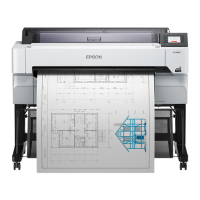
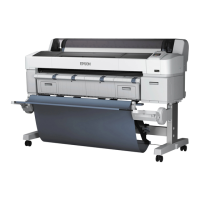
Epson SC-T2100 Series - User Manual

Epson SC-T2100 Series
230 pages
Print Icon
To Next Page IconTo Next Page
Loading...
User's Guide
CMP0139-05 EN

Table of Contents

Questions and Answers

  • B
    Becky MorrisonJul 25, 2025
    Why is my Epson Printer not communicating with the computer?
    • O
      odonnellthomasJul 25, 2025
      If your Epson printer isn't communicating with your computer, first, ensure the interface cable is securely connected to both the printer and the computer. If the printer icon isn't displayed in the Devices and Printers/Printers/Printers and Faxes folder, install the printer driver. Also, verify that the interface cable specifications match those for both the printer and the computer.
  • G
    george80Jul 30, 2025
    What to do if Epson Printer operates but nothing prints?
    • A
      Amanda LeonardJul 30, 2025
      If the Epson printer operates but nothing prints, print a nozzle check pattern. If the message 'Motor self adjustment running.' is displayed on the control panel's screen, wait for a while without turning off the printer.
  • T
    Timothy AlexanderAug 4, 2025
    How to fix when fine lines in drawings are not printed on Epson SC-T2100?
    • D
      Diana KellerAug 4, 2025
      If fine lines in drawings are not printed, set the resolution to 600 dpi in your application software. Confirm that the data paper size is correctly set in the printer driver document size. Also, print directly from the source data for that PDF and select Emphasize Thin Lines in the printer driver.
  • D
    Dustin RiveraAug 9, 2025
    How to fix vertical color unevenness on Epson Printer?
    • J
      joshuasullivanAug 9, 2025
      If you are experiencing vertical color unevenness when printing from the auto sheet feeder, increase the ink density on the printer driver Advanced screen, because the Color Density setting is not appropriate. Also, try cleaning the rollers.
  • M
    Mark WigginsAug 14, 2025
    How to enable printing from iPhone on Epson SC-T2100 Printer?
    • M
      Mr. Vincent HernandezAug 14, 2025
      To enable printing from an iPhone or iPad, connect the iPhone or iPad to the same network (SSID) as the Epson printer. In Web Config, enable AirPrint settings.
  • W
    william37Aug 19, 2025
    Why is the printed surface scuffed on my Epson SC-T2100?
    • M
      Mr. Lonnie DavisAug 19, 2025
      If the printed surface is scuffed or soiled, check the print settings to ensure the size of the loaded paper matches the printer driver settings for Original Size or Paper Size. Also, make sure that the paper specifications are compatible with your Epson printer, as using paper that is too thick or too thin can cause this issue.

Epson SC-T2100 Series Specifications

General IconGeneral
Printer TypeLarge Format Printer
Maximum Print Resolution2400 x 1200 dpi
Number of Ink Colors4 (Cyan, Magenta, Yellow, Black)
Memory1 GB
Operating SystemsWindows, macOS
Media HandlingRoll and Sheet
Maximum Print Width24 inches
ConnectivityUSB, Ethernet, Wi-Fi
Paper SizesA1, A2, A3, A4, B1, B2, B3, B4
Media TypesPlain paper, photo paper, matte paper
Print TechnologyPrecisionCore® MicroTFP printhead

Related product manuals