User’s Guide
— for use without a computer —
Loading Paper
Placing an Original
Copying
Replacing Ink Cartridges
Open Close
Copying Without Borders
Reducing Photos
Copying Documents
Making Draft Copies
or
Enlarging Documents
+
Cancel Copy
or
+
Hold y button and press x button
Press for three seconds
Press
Install Click
Close (Click)
Close
Press
Open
The _ mark
indicates a
low or
expended
ink cartridge.
Remove
Repeat this step to check other cartridges.
Checking the Ink Cartridge Status
Removing and Installing Ink Cartridges
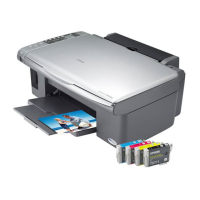
Epson Ink Cartridges
Color Part Number
Black T0731/T0911
Cyan T0732/T0912
Magenta T0733/T0913
Yellow T0734/T0914
Press
Flashing quickly
On
Wait about 1 min
Shake
Unpack
Only remove
the yellow tape
Note:
Do not open the ink cartridge package until you are ready to install it in the printer.
The cartridge is vacuum packed to maintain its reliability.
Open
Copyright © 2007 Seiko Epson Corporation. All rights reserved.
Printed in XXXXXX XX.XX-XX XXX
Loading Capacity
Available Paper Paper Size Sheets
Plain Paper
A4 80
Epson Premium Ink Jet
Plain Paper
Epson Bright White Ink
Jet Paper
Epson Premium Glossy
Photo Paper
10 × 15 cm
(4
× 6 in.)
20
Epson Premium
Semigloss Photo Paper
Epson Glossy Photo
Paper
Epson Ultra Glossy
Photo Paper

 Need help?


 To Next Page
 General