TM-T90 User’s Manual 9
English
Installing the Roll Paper
Note:
Be sure to use the roll paper that meets the specifications.
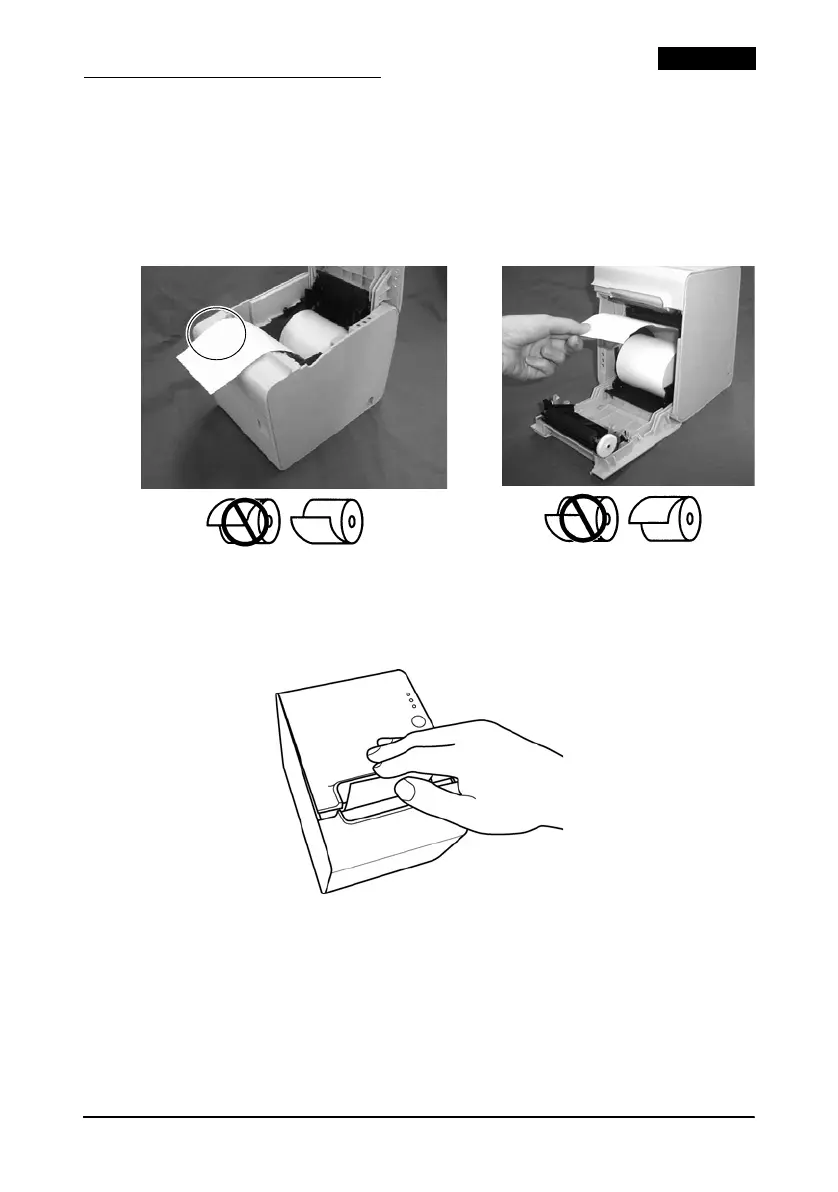
1. Open the roll paper cover, using the cover open lever.
2. Insert the roll paper and pull out a small amount of paper,
aligning the paper with the guide, as shown below.
3. Close the roll paper cover; then tear off the roll paper.
Note:
Be sure to close the cover completely by pushing down on the middle
of the cover.



 To Next Page