Rev. B System Preparation 1-3
UB-U09 Developer's Guide
Confidential
(*1) If pin 6 (DSR) is left unconnected, TM printer DIP switch must be set to “disable reset via pin 6.” This setting, in
combination with the setting of jumper JP2 on the UB-U09, causes the printer to be continually reset. Table 1-2
shows the relationship between jumper JP2 on the UB-U09 and “disable reset via pin 6” setting on the TM printer.
(*2) To reset the TM printer through the interface, the reset signal can be applied to pin 6 or pin 9.
Compatible Printers
UB-U09 is available for all TM printers that have a removable interface board. (Confirm the
available printers for OPOS/printer driver.)
The following printer is not available.
•RP-U420
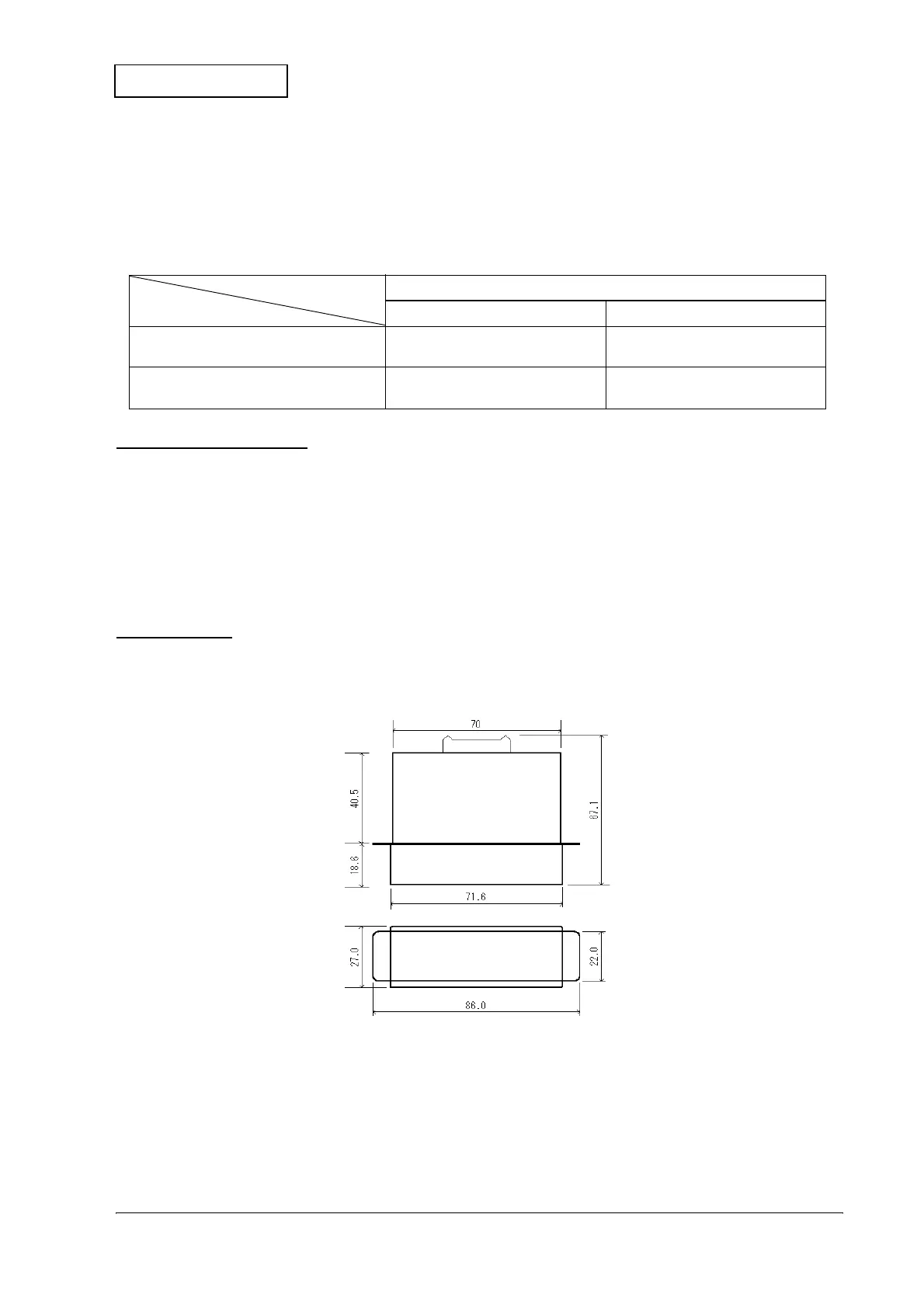
Dimensions
The external dimensions of the UB-U09 are shown below.
Figure 1-1 UB-U09 External dimensions
Table 1-2 Relationship between jumper JP2 and TM printer pin 6 reset signals
Jumper JP2 on UB-U09
TM printer DIP switch setting 1-2 Shorted 2-3 Shorted
Enable reset via pin 6 When pin 6 (DSR) is open, the
printer is reset.
The printer is not reset even
though pin 6 (DSR) is open.
Disable reset via pin 6 The printer is not reset even
though pin 6 (DSR) is open.
The printer is not reset even
though pin 6 (DSR) is open.


 To Next Page