USB Guide
Rev. C
A5 size Usb.fm
10/30/98 Pass 1
R
Proof Sign-off:
E. Ohtera _______
N. Nomoto _______
K. Norum _______
5
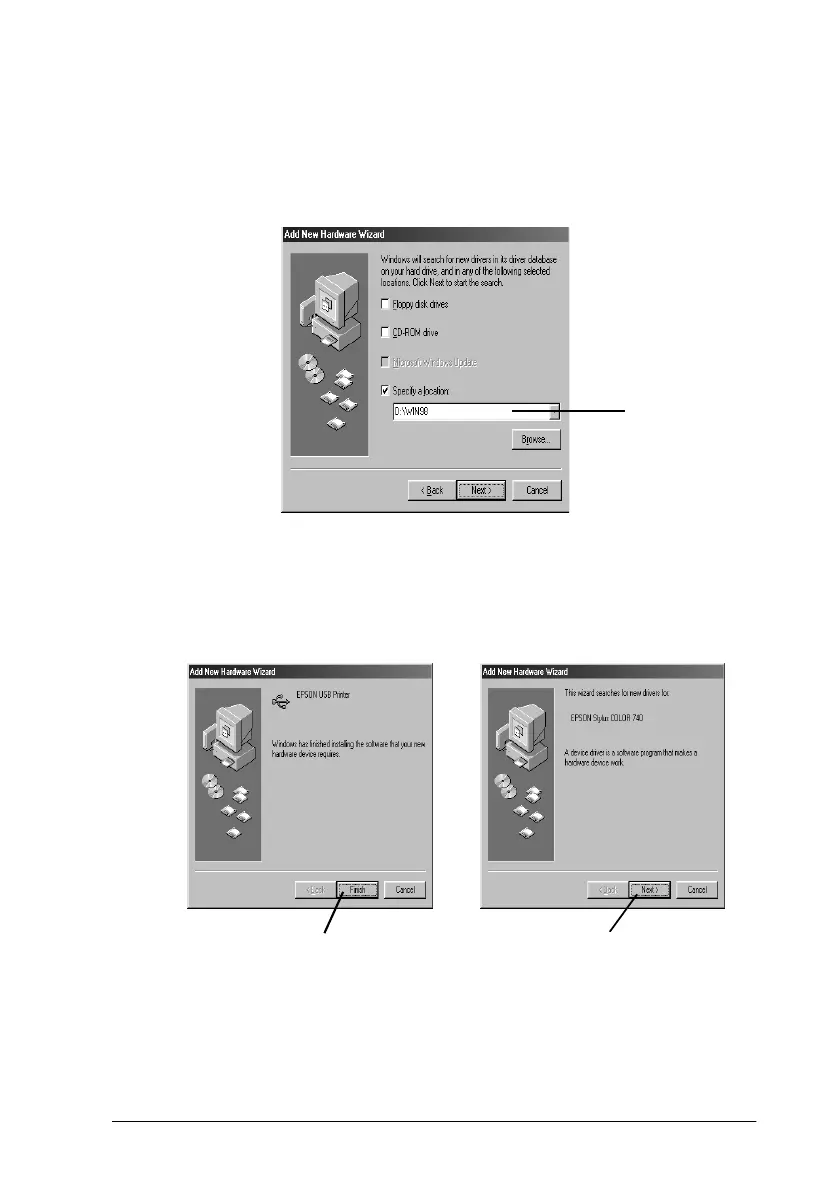
4. When the following dialog box appears, click
Specify a
location
and type
D:\ win98
(if the CD-ROM drive has a
drive letter other than “D”, substitute the appropriate letter).
Then click
Next
.
5. After finishing the USB printer device driver installation, the
printer software installation automatically starts and the
following dialog boxes appear. Click
Finish
, then click
Next
.
Type here.
Click here.
Then click here.



 To Next Page