USB Guide
Rev. C
A5 size Usb.fm
10/30/98 Pass 0
L
Proof Sign-off:
E. Ohtera _______
N. Nomoto _______
K. Norum _______
6
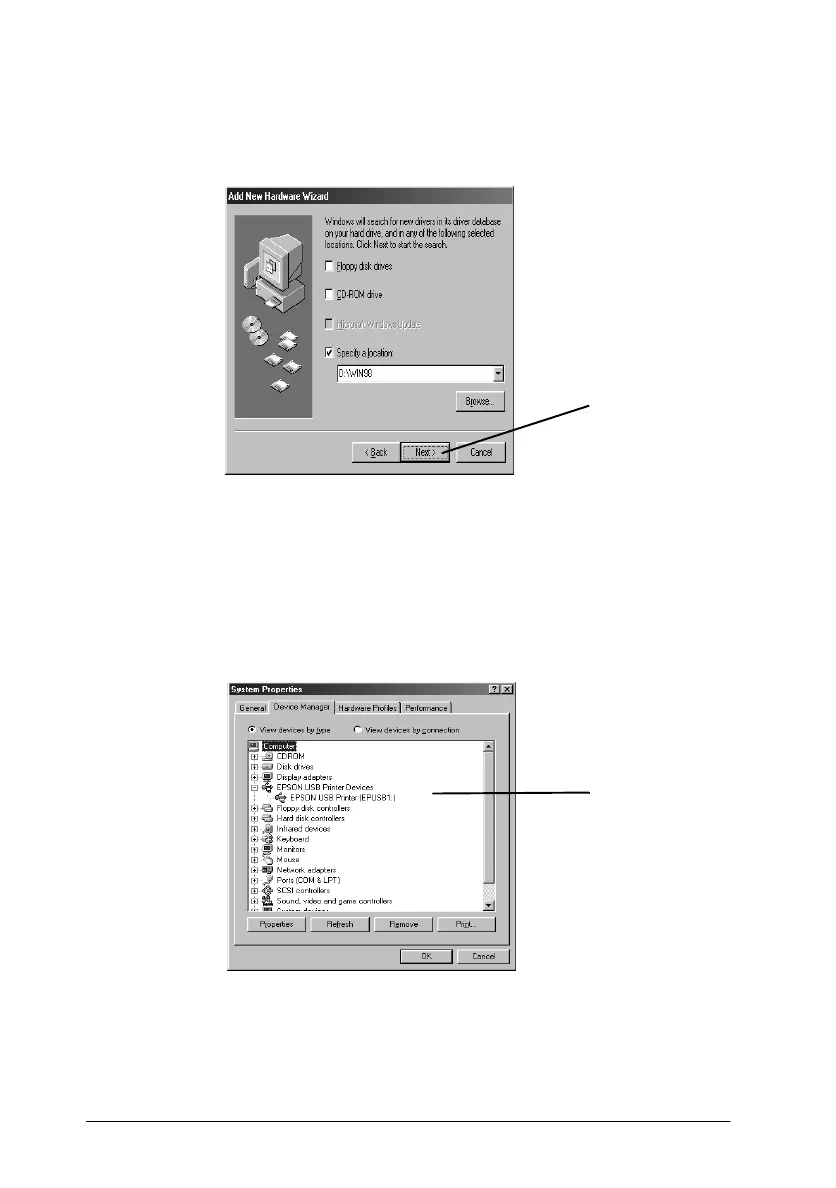
6. When the dialog box below appears, click
Next
and follow
the instructions on the screen.
7. To confirm that installation was successful, check to see if
"EPSON USB Printer Devices" appears in the Device
Manager. Click
Start
, point to
Settings
, and click
Control
Panel
. Then double-click
System
and click the
Device
Manager
tab.
Now you can use your printer. For instructions on using your
printer, see your printer manual.
Click here.
Check here.



 To Next Page