EasyManua.ls Logo

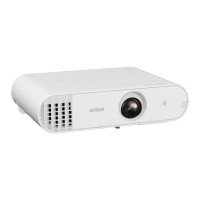
Epson V11H452520W - User Manual

Epson V11H452520W
92 pages
Print Icon
To Next Page IconTo Next Page
Loading...
Installation Guide
Guide d’installation

Table of Contents

Questions and Answers

  • M
    millerabigailAug 20, 2025
    What to do if my Epson software cannot connect to the projector via wired LAN?
    • J
      Jonathan WatkinsAug 20, 2025
      First, ensure that LAN is available from the device manager under Control Panel - System - Hardware. Then, check that the network cable is correctly connected; reconnect it if necessary.
  • R
    Rachel OwensAug 21, 2025
    How to fix Epson software when it cannot connect to the projector?
    • V
      vanessachangAug 21, 2025
      Install the current version of EasyMP Network Projection from the EPSON Projector Software CD-ROM supplied with the projector. You can download the latest version of EasyMP Network Projection from www.epson.com and select your location.
  • P
    Paul BarnettAug 25, 2025
    Why can't I connect to the Epson projector via the network?
    • C
      Christopher BeckerAug 25, 2025
      Several factors could be preventing the connection. Ensure you close network settings on the projector and return to the LAN standby screen, as connection via EasyMP Network Projection isn't possible if the network configuration screen is active. If your computer uses multiple LAN environments, verify the correct network adapter is selected within EasyMP Network Projection under 'Set options - Switch LAN'. If you prefer not to disable your firewall, ensure ports 3620, 3621, and 3629 are open. Also, verify that the computer, access point, and projector share the same SSID. Finally, confirm that the access point permits projector connections and that DHCP settings are correctly configured if you're not using DHCP.
  • A
    Andre AndradeAug 26, 2025
    What to do if EasyMP Network Projection initialization failed on Epson?
    • V
      vriveraAug 26, 2025
      Restart EasyMP Network Projection. If the message persists, uninstall and then reinstall EasyMP Network Projection.
  • L
    Lauren VelazquezAug 28, 2025
    How to resolve Epson EasyMP Network Projection connection failure due to keyword mismatch?
    • S
      Stephanie GallegosAug 28, 2025
      Check the Projector Keyword displayed on the LAN standby screen and ensure it matches the one you are using to connect.
  • B
    Bobby MurrayAug 29, 2025
    What to do if my Epson software cannot start while Quick Wireless Connection is running?
    • G
      greenjaniceAug 30, 2025
      Close Quick Wireless Connection and then start EasyMP Network Projection.
  • H
    Henry StephensSep 1, 2025
    Why is there no audio from the Epson projector when connecting with EasyMP Network Projection?
    • R
      Robin HillSep 1, 2025
      Audio can only be transferred to one projector, so try disconnecting other projectors. Also, ensure you select 'Output audio from the projector' on the Audio Output tab.
  • C
    Christine HollandSep 2, 2025
    What to do if Epson EasyMP Network Projection cannot select or change the connection mode?
    • C
      Charles PattonSep 2, 2025
      Select 'Display Connection Mode Selection window on startup' on the General settings tab from Set options. The projector selection screen is displayed after restarting EasyMP Network Projection.
  • A
    Anthony MartinezSep 5, 2025
    What to do if the Epson mouse cursor is not displayed on the computer screen?
    • C
      Candice WilliamsSep 5, 2025
      When the virtual display checkbox is cleared on the Add-Remove Virtual Display screen, the mouse pointer returns to the screen display area.
  • N
    Noah AlexanderSep 7, 2025
    What to do if the Epson mouse pointer flickers?
    • B
      Beverly RoySep 7, 2025
      If you do not want the mouse pointer to flicker, clear the Transfer layered window check box on the Adjust performance tab.

Epson V11H452520W Specifications

General IconGeneral
BrandEpson
ModelV11H452520W
CategoryProjector
LanguageEnglish

Related product manuals