7
Installing this Unit
Installing
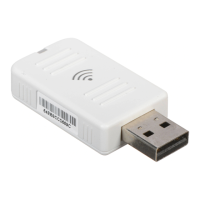
Install this unit into the projector.
A
Remove the cover for the projector's wireless LAN
unit installation section.
B
Install this unit.
C
To avoid losing this unit and so on, make sure you
fix it in place with the screw supplied.
Reading the Wireless LAN Unit Access Lamp
There are two wireless LAN unit access lamps, one on top of the projector
the other on this unit.
Procedure
Screw hole for the Screw to fix the wireless LAN unit



 To Next Page