EasyManua.ls Logo

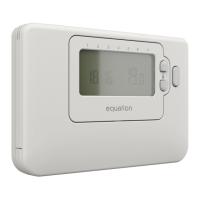
EQUATION TH30DP4 - USE; Thermostat Displays Overview; Thermostat Controls; Setting Time and Day

EQUATION TH30DP4
Print Icon
To Next Page IconTo Next Page
To Previous Page IconTo Previous Page
Loading...
FR
ES
PT
IT
EL
PL
UA
RO
EN
46
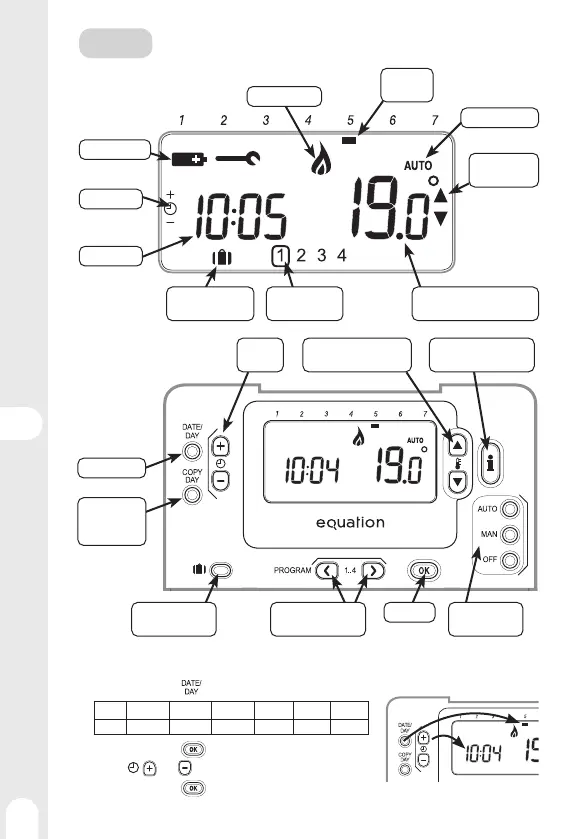
Displays
Day of the
week
Heat demand
Setting Time
Time display
Low Batteries
Operating mode
Setting the
temperature
• Ambient temperature
• Set temperature
Programming
ranges
Vacation mode
activated
Setting Time and day of the week
1 - Press several times to set the day of the week
12 3 4 567
Monday Tuesday Wednesday Thursday Friday Saturday Sunday
2 - Confi rm by pressing (green button)
3 - Use the and keys to set the current time
4 - Confi rm by pressing
(green button)
USE
Commands
Choose the
operating mode
Consult and change
program ranges
Activate Vacation
mode
Confi rm
Copy the
program
ranges
Select the day
Increase or decrease
the temperature
Set the
time
Display the set
temperature

Related product manuals