FR
ES
PT
IT
EL
PL
UA
RO
EN
48
TROUBLESHOOTING
Operation issues are often due to minor causes; please go over the table below before contacting the
After-Sales Service. This could save you time and spare you unnecessary expenses.
Problem Causes, solutions
No Display
Check batteries by opening cover.
Check that batteries are placed in the correct position.
Replace the batteries.
The
symbol is fl ashing
The batteries are getting weak.
Replace the batteries.
The symbol is displayed
A defect has appeared in your installation.
Remove and replace the batteries.
If the symbol does not come o after a few minutes, contact your
installer.
In case of persistent problem, please contact the after-sales service of your store.
Warranty
The warranty does not cover problems related to improper installation, incorrect wiring or improper use.
Processing waste of electronic and electric devices at life-cycle end.
This image indicates that this product must not be disposed of with unsorted home trash. A
system for disposal and special processing of used electric and electronic devices, manda-
tory to follow, has been implemented including the right to have vendors retrieve free-of-
charge used appliances upon purchase of new appliances, as well as special collection of
such waste by approved organisations.
For more information on this, you can contact your store or your town hall. Proper disposal of used elec-
tric and electronic appliances ensures their adequate processing and recycling in order to avoid damage
to the environment and public health as well as to preserve natural resources.
DAYS
Temperature Override
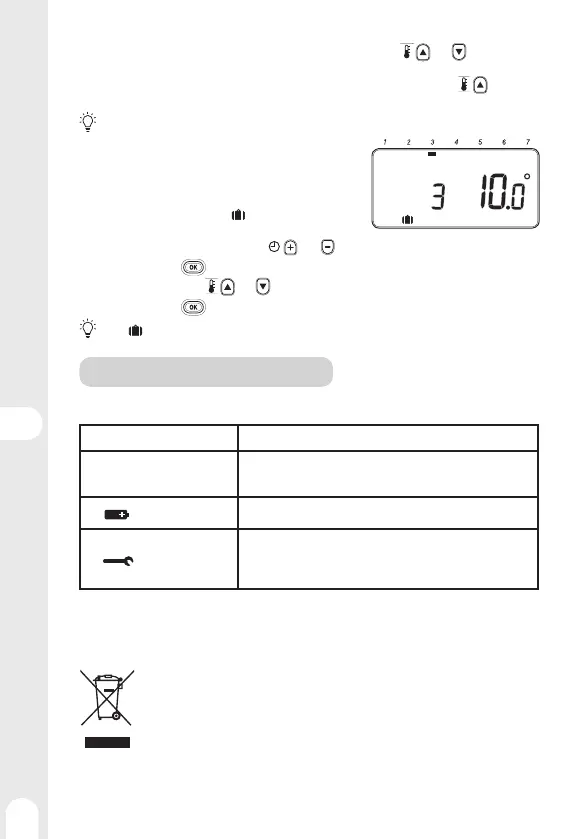
In AUTO mode, it is possible to correct the setpoint temperature using the and keys.
This temporary setting will be canceled at the next scheduled time range.
Example: It is Saturday at 7 am, the set temperature is 16°C, I can rise to 19°C using the
key, and it
will automatically switch to 21°C at 8 am.
Press AUTO to force a return to the programmed temperature without waiting for the next range.
Vacation mode
This function allows you to program a constant temperature
(10°C by default) for a chosen number of days, in order to
reduce energy costs.
1 - From MAN or AUTO mode, press
, the number of days is
fl ashing
2 - Set the desired number of days using the
and keys
3 - Confi rm by pressing
, the temperature is fl ashing
4 - Set the temperature using
and keys .
5 - Confi rm by pressing
, the remaining number of days will change every day at midnight.
Press again to deactivate vacation mode.


 To Next Page