©2016 ETS Corporation | L5300 Installation and Configuration Guide
This information is CONFIDENTIAL and must be used exclusively for the operation of ETS software, hardware, or services. It
may not be duplicated, published, or disclosed without the express permission of ETS.
1. Terminal Installation
1.1 Terminal Installation – Ethernet Mode
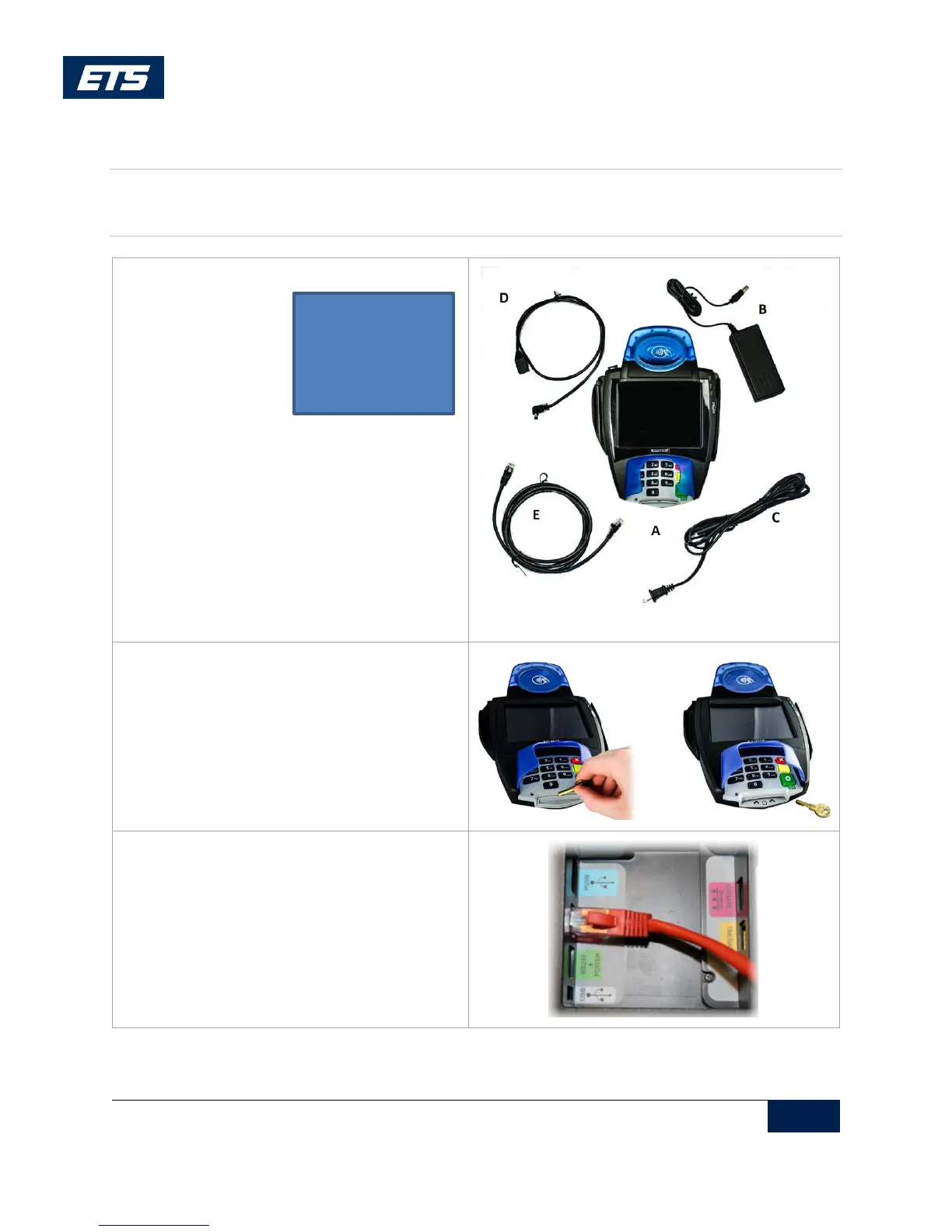
1. Ensure that all the components are present.
2. Remove the plastic guard for Chip
transactions.
2a. Parallel Option with the PC
Insert the Ethernet cable into the bottom of
the terminal. The other end of the Ethernet
cable goes to the Ethernet hub or switch.
Please contact your network administrator
for details.
A. L5300
B. Power Supply
C. Power Cord
D. Power Adapter
E. Ethernet Cable



 To Next Page