6
7
8
Use the TAPE OUT jacks to connect, for example, a tape deck for recording applications.
Use the PHONES jack to connect a commercially available pair of headphones.
These are the balanced 1/4 ' jack MAIN OUTPUTS of your machine that can be used to drice, e.g.a
power amplifier.
Connect the EFF SEND connector to the input of an external effects device.
The AUX SEND connector provides the monitor signal of your machine, for example, to control a
monitor amplifier or active monitor speaker.
9
10
1.2.2 Front panel
11
12
13
14
15
16
The GAIN MIC control determines the channels input gain, both for a microphone connected via the
XLR jack and for other signal sources connected to the 1/4 jack.
Use the PAN control to adjust the signal s positon on the stereo basis.
Your machine comes with a 3-band equalize r. the HI control govems the high frequen cy range, the MID
control can be used to boost/cut the midrange frequen cies, and the LOW control allows you to raise or
lower the gain of the bass range.
Use the AUX control to determine the channel volume sent to the
AUX mix bus. When set fully to the
left, the channel volume in the AUX mix is zero.
The CHANNEL fader adjusts the volume of the corresponding channel
The EFF control adjusts the effects volume for the corresponding channel.
1.2.3 Main section
17
18
19
20
21
22
23
24
Use this switch to activate the phantom power required for condenser microphones.
The LEVEL DISPLAY reads the output level of your machine. Make sure that the two Clip LED swont
light up.
This is used for adjusting frequency of echo repeat. Since too much echo repeat may cause a howl.
Please adjust frequency properly.
This is used for adjusting the time interval of echo repeat. The middle position position (5) may be most
effective
The PHONES control governs the headphones volume.
The AUX SEND control adjusts the volume level of the AUX signal provided at connector .
10
The EFF SEND control allows you to adjust the level that is sent to an external effects device
via connector .Thus, youcandrive all types of effects devices without any risk of distortion.
9
Use the MASTER fader to set the overall volume level of your machine.
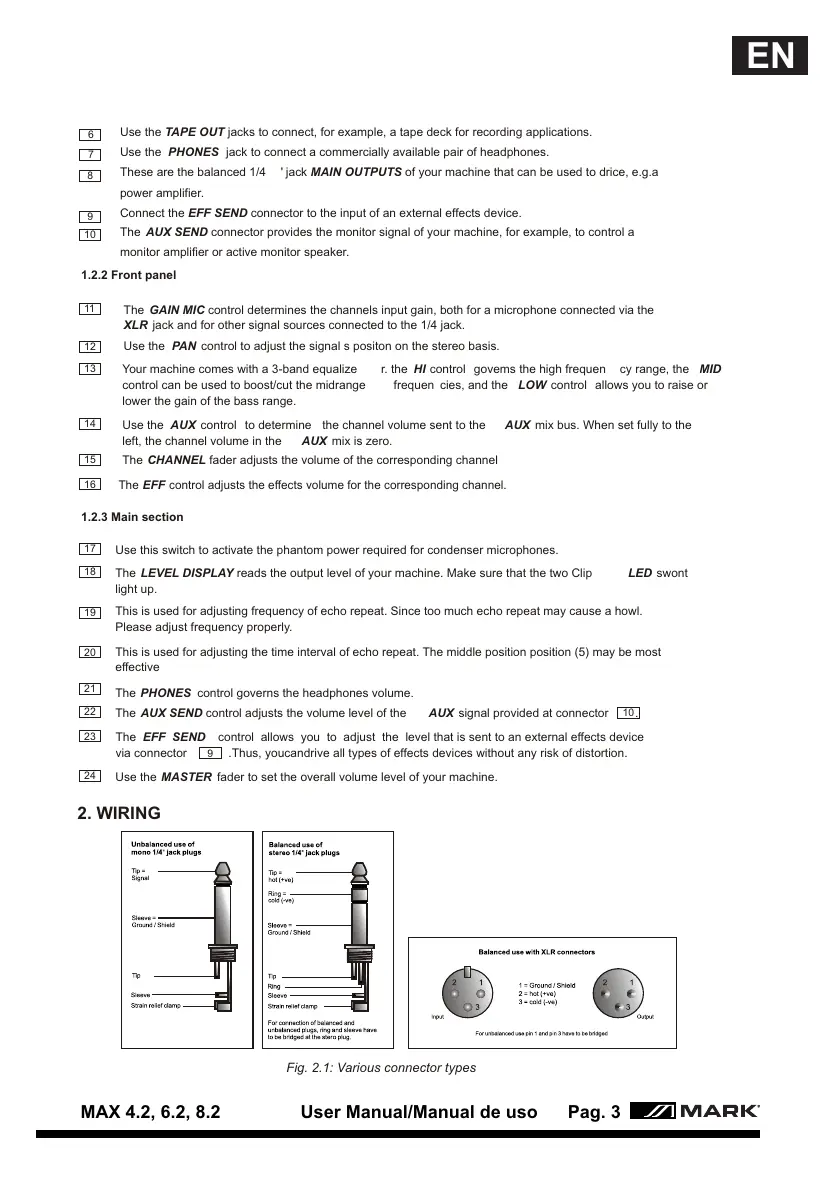
Fig. 2.1: Various connector types
2. WIRING
MAX 4.2, 6.2, 8.2 User Manual/Manual de uso Pag. 3
EN


 To Next Page
 Loading...