Flashes once: Door/window opened,
transmitter sends the signal to the
control panel/ siren.
Flashes every 3 seconds: Low battery
indication (immediate battery change
recommended)
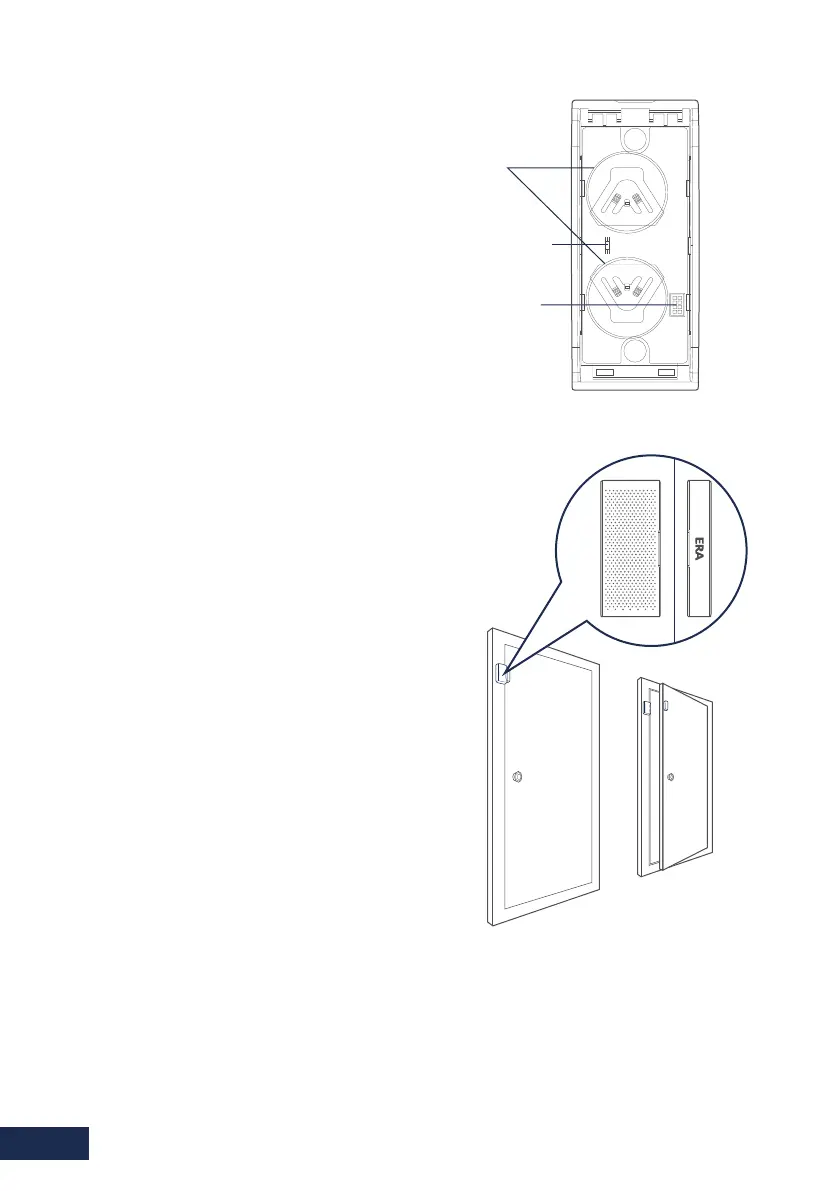
2.2. LED Indication PCB Layout
Carefully remove the activation strip
from the battery compartment.
Remove the backing paper from one side
of each self-adhesive double-sided strip.
Fix one strip to the back of the magnet
and one to the back of the transmitter.
Peel off the other side of each adhesive
strip. Mount the magnet on the door and
the transmitter on the door frame, with
less than a 1cm separation between the
two.
When opening the door a small red indicator
lights up briefly, this indicates that the
transmitter has sent a signal to the control
panel.
2.3. Installation
4.
3.
2.
1.
Tamper Switch
Battery
Zone Setting
Note: Please refer to the full system instructions for pairing a magnetic sensor.
Do not use the button on the back of the sensor to pair the sensor to the alarm as this
will put the sensor into 24hour mode.
Page 6



 To Next Page