Shen Zhen Shi Chuang Cheng Da Technology Co., Ltd
① start The printer.
② connect the printer USB cable to the computer.
③ Double-click drive to start installation.
(2)Notes:
① Wait patiently during the installation of the drive. It is expected to last about 15 minutes.
4. Installation of AcroRIP Printing Software
(1) Step: Double-click the software to install.
(2) Notes:
①The software is constantly updated, please consult the sales staff to install the latest software version.
5. AcroRIP Curve Setting
(1) steps:
① Click "file" in the upper left corner of the software; select "Unit" and choose "mm".
② Curve settings (not required; see video for details)
(2) Notes:
① Language Conversion is located at the third option in the upper left corner of the software interface,
"language"
② Coverage must be used when curve folders are pasted to the software installation location.
6. Ink injection and sprinkler dredging
(
1
)
steps:
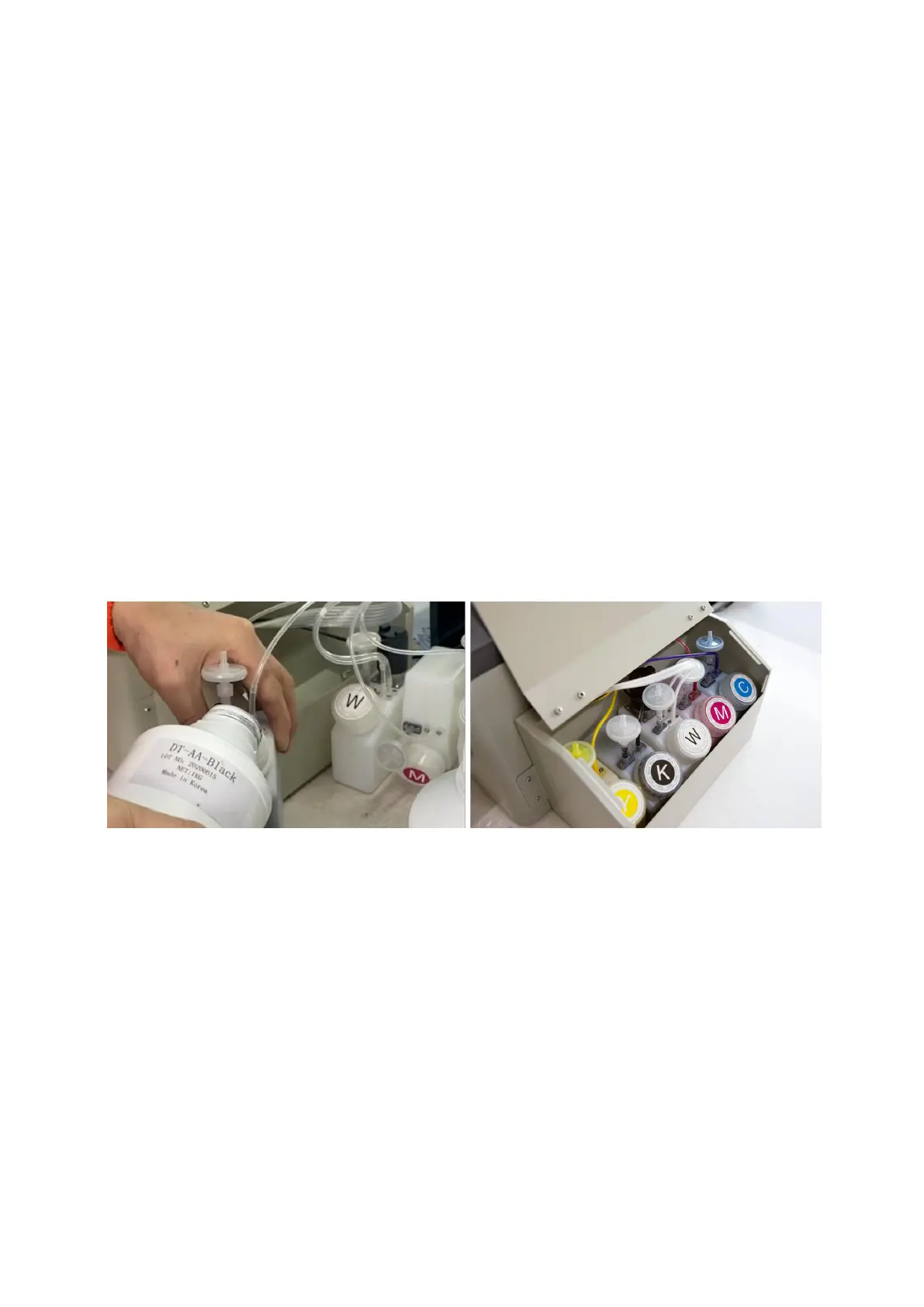
① Put the corresponding color ink into the ink bottle.
② Pumping ink bag with needle tube; using vacuum to lead ink to ink bag.
③ Click on the top left corner of the software "file"; select "Head cleaning"; click on the confirmation to
wash the nozzle with ink.
④ Pumping waste ink tube with needle tube (in the position of ink bottle)
(2) Notes:
①When taking the ink bag, hold the finger in front and back position. You can't squeeze it in the middle,
otherwise ink will flow out.


 To Next Page
 Loading...