
 Need help?
Do you have a question about the EraSmart ERA-DTF-A3 and is the answer not in the manual?
Summarizes benefits like no engraving, simple process, compatibility with dark fabrics, low investment, portability, and reduced inventory.
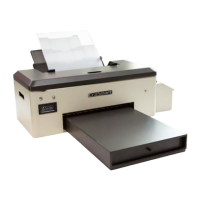
Illustrates exterior components like buttons, ink tank, platform, and powder box.
Step-by-step instructions on how to load PET film into the printer.
Explains the function of power, ink, and paper buttons.
Procedures for printhead maintenance with fluid and monthly ink cart lubrication.
Recommendations for placing the printer in a cool, dry environment with appropriate ambient temperature.
Guidelines for storing ink, packaging, personnel handling, and usage of textile ink.
Advice on placement, power connection, handling, and avoiding hazards like flammable materials.
 General
| Print Technology | Direct to Film (DTF) |
|---|---|
| Connectivity | USB |
| Media Width | 329 mm |
| Operating System Compatibility | Windows |
| Power Requirements | AC 110-240V, 50/60Hz |
| Nozzle Configuration | Not Applicable (Thermal Transfer) |

 To Next Page