20
02
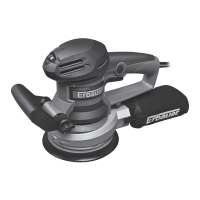
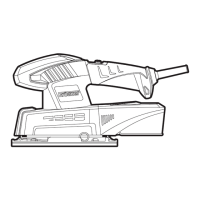
Sanding paper (Fig. A)
Always remove dust and chips from the sanding base plate (4) before
attaching sanding paper (9) to reduce the wear of sanding base plate and
sanding paper.
Choosing the right sanding paper
Sanding paper is available with different grain sizes (grit) and for different materials.
The grain size is indicated with a number on the reverse of the sanding paper, the
higher the number, the ner the grain size.
Grain size Class Application
< 80 Coarse Removal of paint and varnish, preparation of rough surfaces.
80-120 Medium For face sanding and smoothing small irregularities.
>180 Fine Finishing, cleaning plaster and water stain from wood.
• Only use suitable sanding papers in terms of application and size. Do not use
papers that are bigger than the base plate of the product.
• Replace worn or damaged sanding papers immediately.
• Start with a coarse sanding paper and nish with a ne-grained one to achieve a
satisfactory result.
• Do not use the same sanding paper on different materials, e. g. do not use the
sanding paper that has been used for sanding metal to sand wood. Small metal
particles remaining in the sanding paper will lead to scratches.
• We recommend using sanding papers with a hole pattern for sufcient dust
extraction.
The base plate (4) of the product has hook-and-loop system.
1. With the hook-and-loop system, sanding paper is simply removed by pulling off.
2. Align the hole pattern of the new sanding paper (9) with the one in the base
plate (4) to ensure efcient dust extraction if available.
3. With the hook-and-loop system, sanding paper is simply pressed on the base
plate.
160W Corner sander_MNL_EDLS160_TPS_GB_V1_V10518_20180607.indd 20 6/7/18 10:48 AM



 To Next Page