17
16
USE
01
INTENDED USE
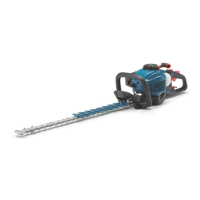
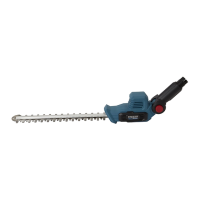
The product is intended for trimming hedges, bushes and shrubs. Observe the technical
data for the maximum cutting capacity. Do not cut non-plant material or branches
exceeding the stated maximum capacity.
02
OPERATION
ON/OFF SWITCH (FIG. C)
Hold the product with one hand at the main handle(6) and with the other at the front
handle(4).
Press the on/off switch(10) and the safety switch(3) at the same time.
Switch the product off releasing either the on/off switch or the safety switch.
ANGLE ADJUSTMENT (FIG. D1-D3)
The angle of the main handle can be adjusted in ve positions.
Press the angle adjustment button(11) and hold it in position.
Turn the main handle clockwise or anticlockwise.
Release the angle adjustment button and turn the main handle until it locks in place.
TRIMMING
Cut and remove branches exceeding the cutting capacity of this product using a proper
pruner before operation.
Move the cutting device lightly through the cutting surface in a sweeping motion following
the shape of the hedge or shrub.
A slight tilt downwards of the cutting device in the direction of motion is recommended for
optimum cutting performance.
Do not to rush and do not attempt to cut too much with one stroke of the cutting device.
First cut both sides from the bottom cutting upwards to the top.
This will prevent any of the trimmings falling into the path of the area still to be cut (Fig. E).
After cutting the sides proceed to the top. Try to keep the cutting device angled at
approximately 15° to the cutting surface (Fig. F).
Cut in a number of stages if the area being cut is particularly long to achieve a better
result; smaller trimmings will allow for easy composting.
NOTE:
While trimming, the cutting device is possible to be blocked. So
the product will turn off automatically due to over current. Therefore release
the on/off switch for over 3s and then press down again to go on with
trimming.
OVERLOAD, TEMPERATURE AND CHARGING PROBLEM
PROBLEM TOOL / BATTERY
STATUS
POSSIBLE
CAUSE
SOLUTION
Overload
protection
Product suddenly
stops
Extremely high
torque, binding and
stalling situations,
overloading of the
tool
Relieve the load immediately,
reset the tool by switching off
and back on again.
Temperature
extremely
high
The rst and the
third LED light of the
POWER BAR will be
ashing altemately
Battery
temperature
exceeds 77°C
during operation
Cool down the battery to
below 77°C for operation and
below 57°C for charging.
Low charge Power for the tool
will drop quickly;
The rst LED on
the POWER BAR
begins to ash
The battery pack is
under 5% charge
Remove the battery pack
from the tool and charge it
Other
problems
Short charges Not fully charged Make sure that battery is
fully charged every time
by allowing the charger to
complete its full charging
cycle
Poor storage
condition
Always remove battery from
the tool and charger when
not in use and store in a dry
secure place.Avoid charging
of storing your battery in
temperatures below 5°C and
above 40°C. Cool down a
hot battery pack from a tool
that has just been operated
for approximately 30 minutes
before storage


 To Next Page