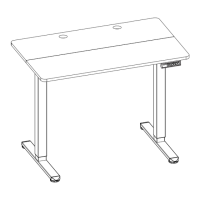
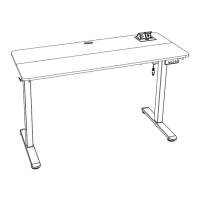
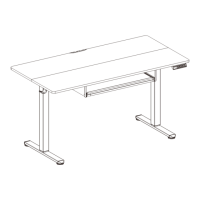
This document is an instruction manual for the ErGear 48" Electric Standing Desk, models EGESD5B-4 and EGESD5V-4. It provides detailed steps for assembly, connection, and operation, along with technical specifications and troubleshooting information.
Function Description
The ErGear 48" Electric Standing Desk is designed to allow users to easily adjust their desk height, promoting a more dynamic and ergonomic workspace. It features an electric motor for smooth height transitions and a controller with memory settings to save preferred heights. The desk also includes a keyboard tray for added convenience and organization.
Important Technical Specifications
Height Adjustment Range: The desk offers a height adjustment range from 28.3" to 46.5" (72-118cm), accommodating various user preferences and ergonomic needs for both sitting and standing positions.
Power Input: It operates on a power input of 100V-240V, making it suitable for use in different regions.
Max. Speed: The desk adjusts height at a maximum speed of 20mm/s, ensuring quick and efficient transitions.
Operating Noise: With an operating noise level of less than 55dB, the desk operates quietly, minimizing disruption in the workspace.
Max. Load: The desk can support a maximum load of 176 lbs (80 kg), allowing users to place multiple monitors, computers, and other office essentials without concern.
Included Components:
- Crossbar (01): 1 unit
- Left Desk Leg (02): 1 unit
- Right Desk Leg (03): 1 unit
- Leg Base (04): 2 units
- Side Plate (05): 2 units
- Transmission Rod (06): 1 unit
- Desktop (07): 1 unit
- Controller (08): 1 unit
- Keyboard Tray (09): 1 unit
- Keyboard Stopper (10): 1 unit
- Wrist Rest (11): 1 unit
- Left Keyboard Tray Side Plate (12): 1 unit
- Right Keyboard Tray Side Plate (13): 1 unit
- AC Adapter (14): 1 unit
- Hardware: Various bolts (M6 x 11mm, M6 x 35mm, M5 x 16mm, M4 x 6mm), screws (M5 x 16mm), wood dowel pins, rubber pads, and cable clips.
- Tools: Large Allen Wrench (3/16" / 5mm), Small Allen Wrench (5/64" / 2mm).
Tools Needed (Not Included): Drill or Phillips Screwdriver.
Usage Features
Controller Operation: The desk features an intuitive controller with several functions:
- Save Current Height Setting: Short-press the 'S' button, and the display will flash. Then, press '1', '2', or '3' to save the current height to that button.
- Select Height Setting: Press '1', '2', or '3' to move the desk to the previously saved height for that button.
- Raise the Desk: Press the '▲' button continuously to raise the desk until it reaches the highest position (46.5" / 118cm) or the button is released.
- Lower the Desk: Press the '▼' button continuously to lower the desk until it reaches the lowest position (28.3" / 72cm) or the button is released.
Settings:
- Change Display Height Units: Press and hold the 'S' button until 'S-' flashes, then press 'S' again until 'Un' is displayed. Press 'S' to select, then use '▲' or '▼' to switch between 'IN' (imperial) and 'SI' (metric). Press 'S' to save.
- Change Collision Force Detection: Long press the 'S' button until 'S-' flashes. Press 'S' again until 'Un' is displayed. Press '▲' or '▼' to switch to 'CF'. Press 'S' to select, then use '▲' or '▼' to switch between 'OFF', 'Low (L)', 'Normal (n)', or 'Heavy (H)' collision force detection. Press 'S' to save.
Reset Function: Press and hold the '▼' button for 5 seconds until the screen shows 'RES.' Continue holding until the desk goes down to its lowest level and comes back up slightly. This function is useful for recalibrating the desk or resolving certain error states.
Maintenance Features
The manual outlines several protection modes and error codes to help users identify and resolve potential issues:
- Overheating Protection (Hot): If the motor operates continuously for 2 minutes, it will stop to prevent damage. Users must wait at least 18 minutes before making further height adjustments.
- Sensor Malfunction Warning (E10): Indicates that the motor safety sensor cannot be detected. The user should power off, check the connection between the motor and controller, and power back on.
- Overloading Warning (E20): Occurs when the maximum load is exceeded. If raising the desk, items should be removed. If lowering, power off, remove items, power back on, and try again.
- Operation Status Warning (E02): The desk stops if vibration, impact, or incline is detected. If this detection is incorrect, a reset should be performed.
- Overvoltage Protection (E32): Indicates input voltage is too high. Users should power off, check the AC adapter and connections between power and controller, then power on again.
- Undervoltage Protection (E31): Indicates input voltage is too low. Users should power off, check the AC adapter and connections between power and controller, then power on again.
- Unequal Leg Height Warning (E60): Occurs if the left and right legs are not at the same height. Users should power off, check leg heights, adjust if necessary, and then power on.
- Cable Disconnection Warning: Check motor and controller cable connections. Normal operation should resume once all connectors are properly connected.
The manual emphasizes the importance of proper assembly, particularly for the desk legs, which may require assistance due to their weight. It also provides guidance on ensuring the transmission rod is correctly inserted and secured for smooth operation.

 Need help?
 General

 To Next Page