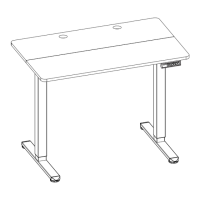
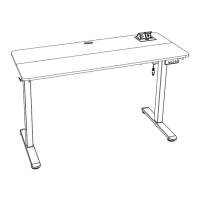
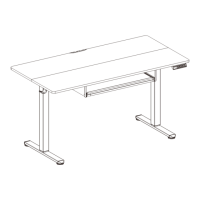
This document outlines the assembly and operation of an ErGear Electric Standing Desk, model EGESD11B / EGESD11W. The manual provides detailed instructions for setting up the desk and utilizing its various features, along with troubleshooting information.
Function Description
The ErGear Electric Standing Desk is designed to allow users to easily adjust their working height, promoting a healthier and more dynamic work environment. It features an electric motor for smooth height transitions and a controller with memory presets for convenience. The desk is intended for use in home or office settings where adjustable height is desired.
Important Technical Specifications
The desk offers a height adjustment range of 27.9"–46.4" (71–118cm). It operates with a power input of 100V–240V and boasts a max speed of 25mm/s for height adjustments. The operating noise is kept below 50dB, ensuring a quiet environment. The desk has a maximum load capacity of 132 lbs / 60kg, suitable for most desktop setups.
The assembly process involves several steps, starting with attaching the legs to the desktop, followed by securing the leg bases, attaching storage hooks, and finally connecting the necessary cables.
Supplied Parts and Hardware:
- Step 1:
- Desktop (01 x 1)
- Desk Leg (02 x 2)
- Bolt M6 x 14mm (A x 8)
- Large Allen Wrench 5/32" (4mm) (B1 x 1)
- Step 2:
- Leg Base (03 x 2)
- Bolt M6 x 14mm (A x 8)
- Large Allen Wrench 5/32" (4mm) (B1 x 1)
- Step 3:
- Storage Hook (04 x 2)
- Small Allen Wrench 1/8" (3mm) (B2 x 1)
- Bolt M5 x 10mm (C x 4)
- Step 4:
- Motor Connection Cable (05 x 1)
- Power Cable (06 x 1)
- Power Connection Box (07 x 1)
- Cable Clip (08 x 4)
The controller features a USB-C Output (9V 2A) and a USB Output (5V 1A), allowing users to charge their devices directly from the desk.
Usage Features
The desk's controller offers a range of features for easy operation and customization:
- Raise the Desk: Press the ∧ button to continuously raise the desk until it reaches the highest position of 46.4" (118cm) or the button is released.
- Lower the Desk: Press the ∨ button to continuously lower the desk until it reaches the lowest position of 27.9" (71cm) or the button is released.
- Save Current Height Setting: Press the M button, and the screen will display 'S-.' Then, press the 1, 2, 3, or 4 button to save the current height to that specific memory preset. When any of these preset buttons is pressed, the desk will automatically move to the previously saved height.
- Set Highest Height Limit:
- Press the M button; the screen will display 'S-.'
- Press and hold the ∧ button until 'S-' flashes once, then release.
- Quickly press and hold the M button again for 2 seconds; '999' will be displayed, indicating the highest limit is set.
- Set Lowest Height Limit:
- Press the M button; the screen will display 'S-.'
- Press and hold the ∨ button until 'S-' flashes once, then release.
- Quickly press and hold the M button again for 2 seconds; '00.0' will be displayed, indicating the lowest limit is set.
- Clear Highest/Lowest Height Limit:
- Press the M button; the screen will display 'S-.'
- Press and hold the M button again for 2 seconds; '555' will be displayed, indicating the limits are cleared.
- Lock/Unlock:
- To lock, press and hold the M button; the screen will display 'S-', the current height, and then 'LOC.' The buttons will be disabled.
- To unlock, press and hold the M button for 8 seconds; the screen will display current height, and the buttons will be operable again.
- Change Height Settings Operation (Mode Selection): Press and hold the 1 button for 5 seconds to switch between modes.
- 10.1: One-Press Mode: Short-press 1, 2, 3, or 4 to move the desk to the preset height. Press any button to stop.
- 10.2: Press & Hold Mode: Long-press 1, 2, 3, or 4 to move the desk to the preset height while the button is held down.
- Change Display Height Units: Press and hold the 2 button for 5 seconds to switch between:
- 10.3: Metric (cm)
- 10.4: Imperial (inch)
- Change Collision Detection Sensitivity: Press and hold the ∧ button for 5 seconds to switch sensitivity levels:
- 10.5: High Sensitivity
- 10.6: Medium Sensitivity
- 10.7: Low Sensitivity
- Change Displayed Minimum Height: This feature allows adjustment of the displayed minimum height to match the actual surface level if a different desktop or accessories are added. Press and hold the M button for 5 seconds; the current minimum height will flash. Use the ∧ or ∨ buttons to adjust, then release to save. After 5 seconds, 'RST' will be displayed.
Maintenance Features
The manual provides troubleshooting steps for common issues, primarily focusing on resetting the desk and understanding error codes.
Reset:
- Press and hold the ∨ button until the desk reaches its lowest level, then release.
- Press and hold the ∨ button for 5 seconds until 'RST' flashes, then release.
- Press and hold the ∨ button again until the desk goes down to its lowest level and comes back up slightly. This completes the reset.
Protection Mode Error Codes:
- E01/E02 (Overcurrent Protection): Input current is too high. If the correct AC adapter is used, reset the desk.
- E12 (Undervoltage Protection): Input voltage is too low. If the correct AC adapter is used, reset the desk.
- E07/E08 (Sensor Malfunction Warning): Motor safety sensor cannot be detected. Power off, check the connection between the motor and controller, power back on, and reset.
- H01 (Overheating Protection): The motor has been working continuously for too long (total 2.5 minutes in 20 minutes) and has stopped to prevent damage. Wait for the motor to cool down before making further height adjustments.
General Troubleshooting:
If abnormal operation or error messages appear on the controller screen, resetting the desk is recommended.
The manual also emphasizes the importance of proper cable management using the provided cable clips (08 x 4) to ensure a tidy and safe setup.
The desk is constructed with 105g copperplate paper for the manual, and the overall assembly is designed to be straightforward, with clear diagrams and labeled parts. The final assembled desk size is A4, with 12 pages, printed in two colors, double-sided.

 Need help?
 General

 To Next Page