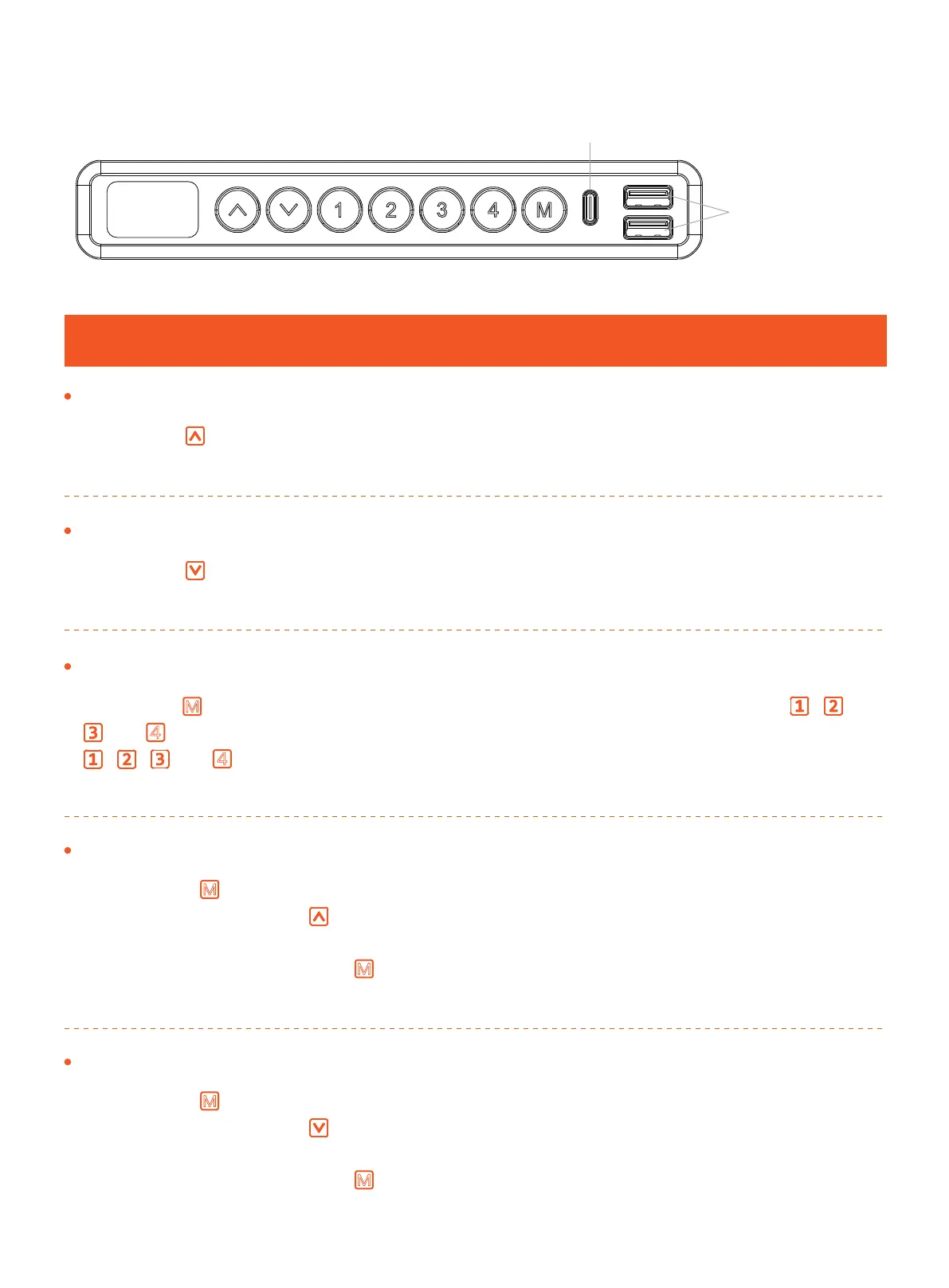
Using the Controller
Raise the Desk
Press the button to raise the desk continuously until it reaches the
highest position of 46.4” (118cm) or the button is released.
Lower the Desk
Press the button to lower the desk continuously until it reaches the
lowest position of 27.9” (71cm) or the button is released.
USB Output
(5V 1A)
USB-C Output
(9V 2A)
Tip: Reset before first use.
Save Current Height Setting
Press the button and the screen will display ‘S-.’ Then press the , ,
, or button to save the current height to that button. When you press
, , , or button, the desk will move to the height that was previously
set for that button.
M
4
4
Set Highest Height Limit
1. Press the button, and the screen will display ‘S-.’
2. Press and hold the button until ‘S-’ flashes once, and then release the
button.
3. Quickly press and hold button again for 2 seconds, and ‘999’ will be
displayed on the screen. Setting the highest limit is complete.
M
M
Set Lowest Height Limit
1. Press the button, and the screen will display ‘S-.’
2. Press and hold the button until ‘S-’ flashes once, and then release the
button.
3. Quickly press and hold button again for 2 seconds, and ‘00.0’ will be
displayed on the screen. Setting the lowest limit is complete.
M
M
Main Settings
01 02 03 04 05 07 08 09 10
06



 To Next Page