Pinch the both sides of the top end of
the cover to make it attach to the arm
4. Route Cables along the Arm
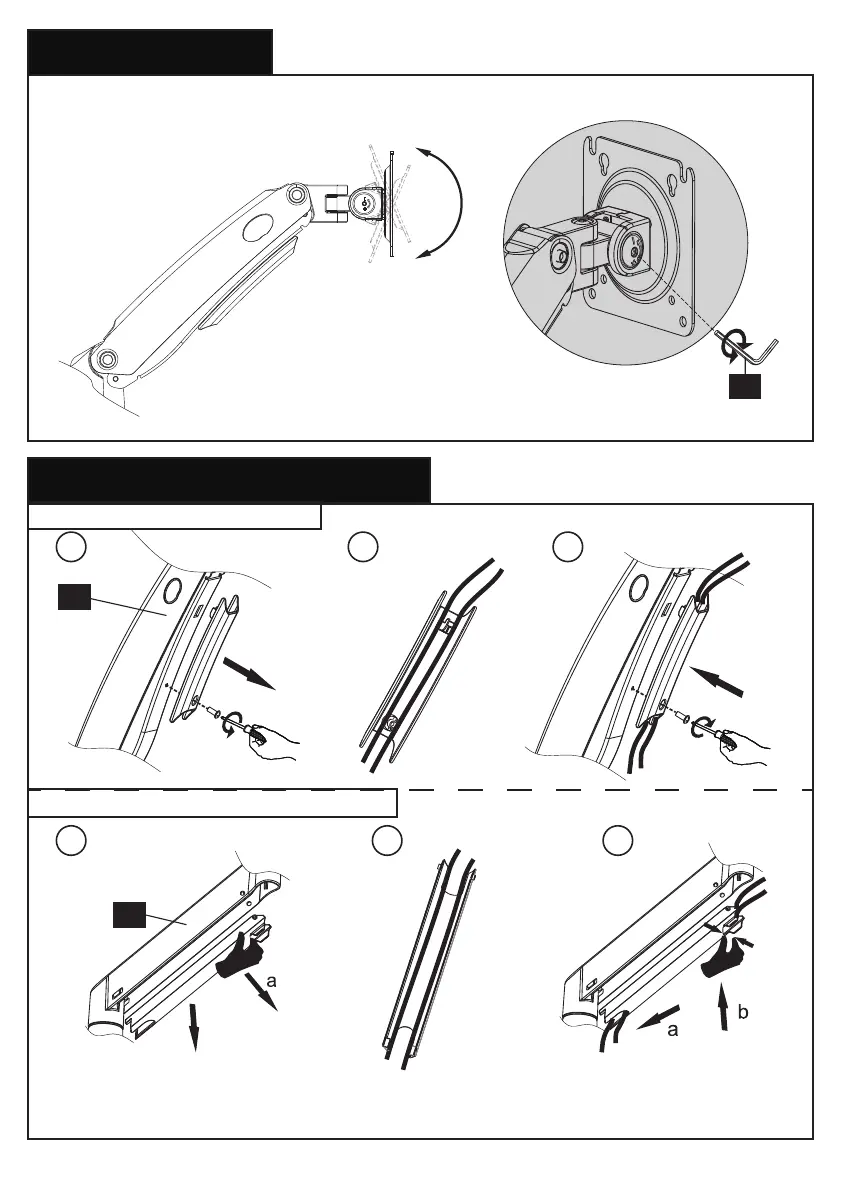
7. Tilt Adjustment
8. Route Cables along the Arms
31 2
6 4
13/64 in.
(5mm)
E
Adjust monitor to proper tilt angle, using Allen key (E) to tighten the bolt and fix tilt angle
5
Pull down the groove part along the
arm to detach the cover from the arm
8-1 Route cables along the arm [01]
8-2 Route cables along the arm extender [02]
01
02
b
09



 To Next Page