EasyManua.ls Logo

ErGear EGCM1 - User Manual

ErGear EGCM1
9 pages
Print Icon
To Next Page IconTo Next Page
Loading...
English ------------------------ 01-07
Deutsch ------------------------ 08-14
Français ------------------------ 15-21
Español ------------------------ 22-28
Italiano ------------------------ 29-35
日本語 ------------------------ 36-42
1
Thank you for choosing this Ergear product! At Ergear we strive to provide
you with the best quality products and services in the industry. Should you
have any issues, please don't hesitate to contact us at
support@ergear.com.(US/CA/DE/UK/FR/IT/ES/AU)
メール:supportjp@ergear.com
Model:EGCM1
Monitor Table
Stand Instruction Manual
Question and Answer IconNeed help?

Do you have a question about the ErGear EGCM1 and is the answer not in the manual?

Summary

Unpacking and Safety Information

Supplied Parts and Hardware

Lists all components and hardware included with the monitor stand for verification.

C Clamp Mounting Instructions

Install Pole and Base Clamp

Attaches the clamp base to the main pole for C-clamp mounting.

Adjust Mount for Desktop Thickness

Configures the clamp to fit various desktop thicknesses for secure installation.

Attach Support Arm to Clamp Base

Connects the primary arm component to the previously assembled clamp base.

Secure Mount to Desktop

Finalizes the mounting process by securing the entire assembly to the desktop surface.

Grommet Mounting Instructions

Prepare for Grommet Mount

Removes a specific part to prepare the stand for grommet installation.

Secure Mount via Grommet

Installs the mount using the grommet method to attach it to the desk.

Install Cable Management and Monitor Connector

Attach Cable Clips and Monitor Connector

Installs cable management clips and the monitor connector onto the main pole.

Monitor Compatibility and Bolt Selection

Check VESA Patterns and Select Bolts

Verifies monitor VESA hole patterns and selects appropriate bolts for attachment.

Attach Monitor Plates to Monitors

Mount Monitor Plates

Secures the VESA monitor plates onto the back of the monitors.

Mount Monitors and Secure

Hang Monitors on Stand

Attaches the monitors to the stand arms and secures them with provided hardware.

Adjust Monitor Tilt Angle

Set Monitor Tilt

Adjusts the tilt angle of the monitors using the designated adjustment mechanism.

Cable Management

Organize Cables

Guides users on routing and securing cables along the stand for a clean setup.

Store Tools

Store Allen Keys

Provides instructions on storing the included Allen keys within the cable clip.

Monitor Stand Features

VESA Plate Height Adjustment

Highlights the feature allowing individual height adjustment for perfect monitor alignment.

Overview

This document provides an instruction manual for the ErGear Monitor Table Stand, model EGCM1, designed to support two monitors. The manual outlines the assembly process, safety information, and features of the stand.

Function Description:

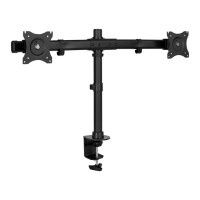
The ErGear Monitor Table Stand (Model: EGCM1) is a dual-monitor desk mount designed to elevate and position two monitors for improved ergonomics and workspace organization. It offers two primary mounting options: C-Clamp mounting for desks with edges and Grommet mounting for desks with existing holes. The stand features a central pole to which a horizontal arm is attached, allowing for independent positioning and adjustment of each monitor. The design aims to free up desk space by lifting monitors off the desktop and providing flexible viewing angles.

Important Technical Specifications:

The stand supports monitors with VESA hole patterns of 75mm x 75mm (approximately 4 inches x 4 inches) and 100mm x 100mm (approximately 7 7/8 inches x 7 7/8 inches). For C-Clamp mounting, the stand can accommodate desktop thicknesses ranging from less than 45mm (1 49/64 inches) up to 80mm (3 5/32 inches). The included hardware consists of various screws and tools:

  • Parts:
    • 01: Pole (x1)
    • 02: C-Clamp Base (x1)
    • 03: C-Clamp/Grommet Plate (x1)
    • 04: Monitor Connector (x1)
    • 05: Monitor Plates (x2)
    • 06: Cable Clip (x1)
    • 07: Cable Clips (x4)
    • 08: Grommet Plate (x1)
  • Hardware (Bolts/Screws):
    • A: M8x10mm (x2)
    • B: M6x10mm (x3)
    • C: M3x8mm (x2)
    • D: M3x8mm (x2) (Note: D is also M3x8mm, but shown separately in the diagram, possibly for a different application or a typo in the list where C and D are identical)
    • E: 5/32 inch (4mm) Allen Key (x1)
    • F: 15/64 inch (6mm) Allen Key (x1)
  • Monitor Mounting Screws (M-series):
    • M-A: M4x12mm (x8)
    • M-B: M4x16mm (x8)
    • M-C: M5x12mm (x8)
    • M-D: M5x16mm (x8)
    • M-E: D5 Washers (x8)
    • M-F: D5 Washers (x8) (Note: M-E and M-F are both D5 washers, but shown separately in the list)

Usage Features:

The ErGear Monitor Table Stand offers extensive adjustability to optimize viewing comfort and productivity:

  • Dual Mounting Options: Users can choose between C-Clamp mounting for desks with accessible edges or Grommet mounting for desks with a pre-drilled hole, providing versatility for various desk types.
  • Monitor Compatibility: The stand is compatible with TVs/monitors that adhere to VESA 75x75mm and 100x100mm hole patterns.
  • Height Adjustment: The central pole allows for vertical adjustment of the monitor arm, enabling users to set the monitors at an ergonomic height.
  • Individual VESA Plate Height Adjustment: A key feature is the individual VESA plate height adjustment. This allows for fine-tuning the height of each monitor independently, ensuring they are perfectly aligned even if the monitors themselves are of different sizes or have slightly different VESA mounting positions. This is crucial for a seamless dual-monitor setup.
  • Swivel: The monitors can swivel 360 degrees, allowing for quick changes between landscape and portrait orientations without removing the monitor.
  • Tilt: The monitors can be tilted to reduce glare and optimize viewing angles. The manual shows an adjustment point for fixing the tilt angle.
  • Rotation (Arm): The horizontal arm can rotate 180 degrees around the central pole, offering flexibility in monitor placement relative to the desk.
  • Cable Management: Integrated cable clips (parts 06 and 07) are provided to route and organize cables along the stand's pole and arm, contributing to a tidy and clutter-free workspace.
  • Easy Installation: The manual provides clear, step-by-step instructions for assembly, including visual aids. The process involves attaching the clamp/grommet base, securing the pole, installing the monitor connector, attaching VESA plates to monitors, and finally hanging the monitors on the stand.

Maintenance Features:

  • Tool Storage: The stand includes a convenient feature for storing the provided Allen keys (E and F) directly into one of the cable clips (part 07) on the pole. This ensures that the necessary tools for adjustments are always readily available and not easily misplaced.
  • Durable Construction: While not explicitly detailed in the features section, the components depicted suggest a robust metal construction designed for long-term use.
  • Customer Support: ErGear emphasizes customer support, encouraging users to contact them via email (support@ergear.com) for any issues, replacement parts, or questions regarding installation or product use. This indicates a commitment to assisting users with product maintenance and troubleshooting.
  • Bolt Engagement Check: The manual stresses the importance of verifying adequate thread engagement for monitor bolts (at least 5 turns) to prevent damage to the monitor or insufficient holding power, which is a crucial maintenance tip for safe and secure monitor attachment.

ErGear EGCM1 Specifications

General IconGeneral
BrandErGear
ModelEGCM1
CategoryRacks & Stands
LanguageEnglish

Related product manuals