Secure monitor connector
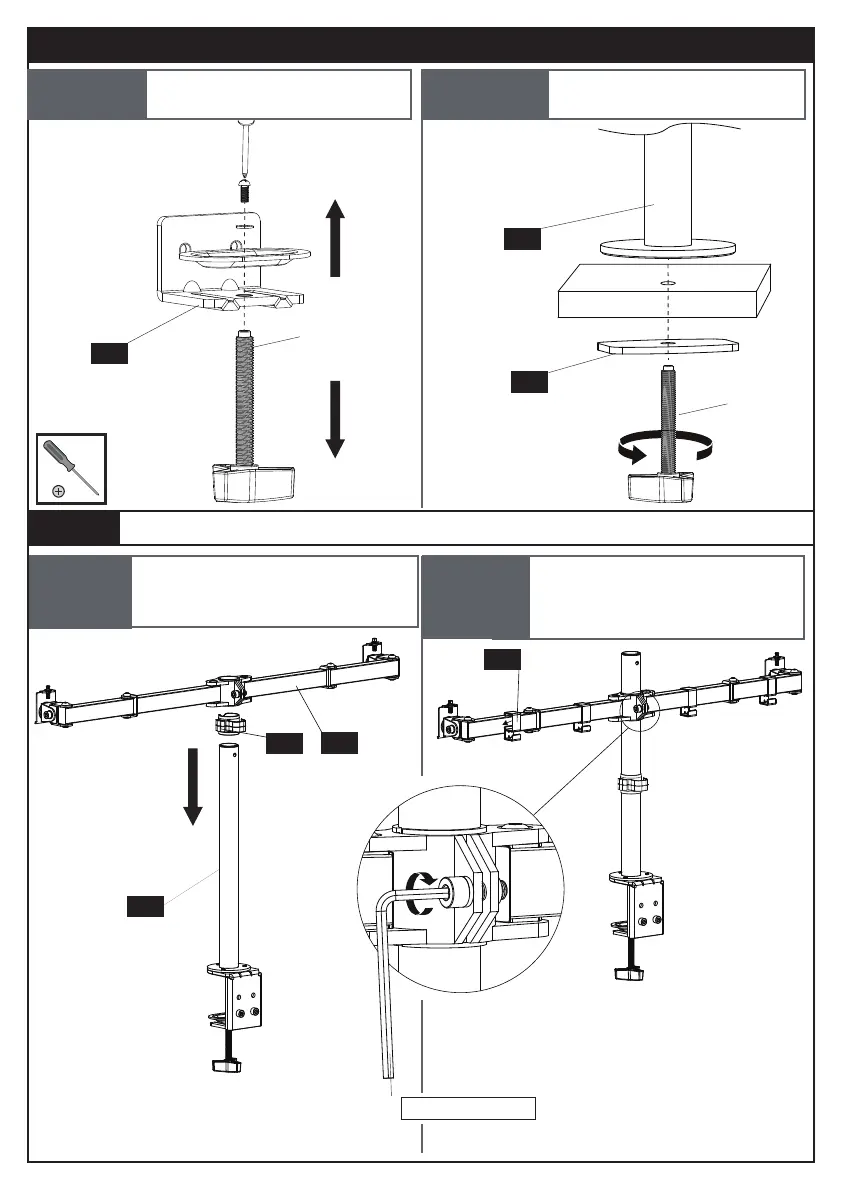
[04] to the pole [01] then
attach the cable clips [07] to
the monitor connector [04]
STEP 2-2
Slide the cable clip [06] and
monitor connector [04] to the
pole [01]
STEP 2-1
STEP 2 Install Cable Clips [06] [07] & Monitor Connector [04] to Pole [01]
STEP 1B For Grommet Mounting
03
08
01
a
a
F
07
04
01
06
Remove part [a] from part
[03]
STEP 1B-1
Secure the mount to
desktop
STEP 1B-2
15/64 in.(6mm)
03


 To Next Page