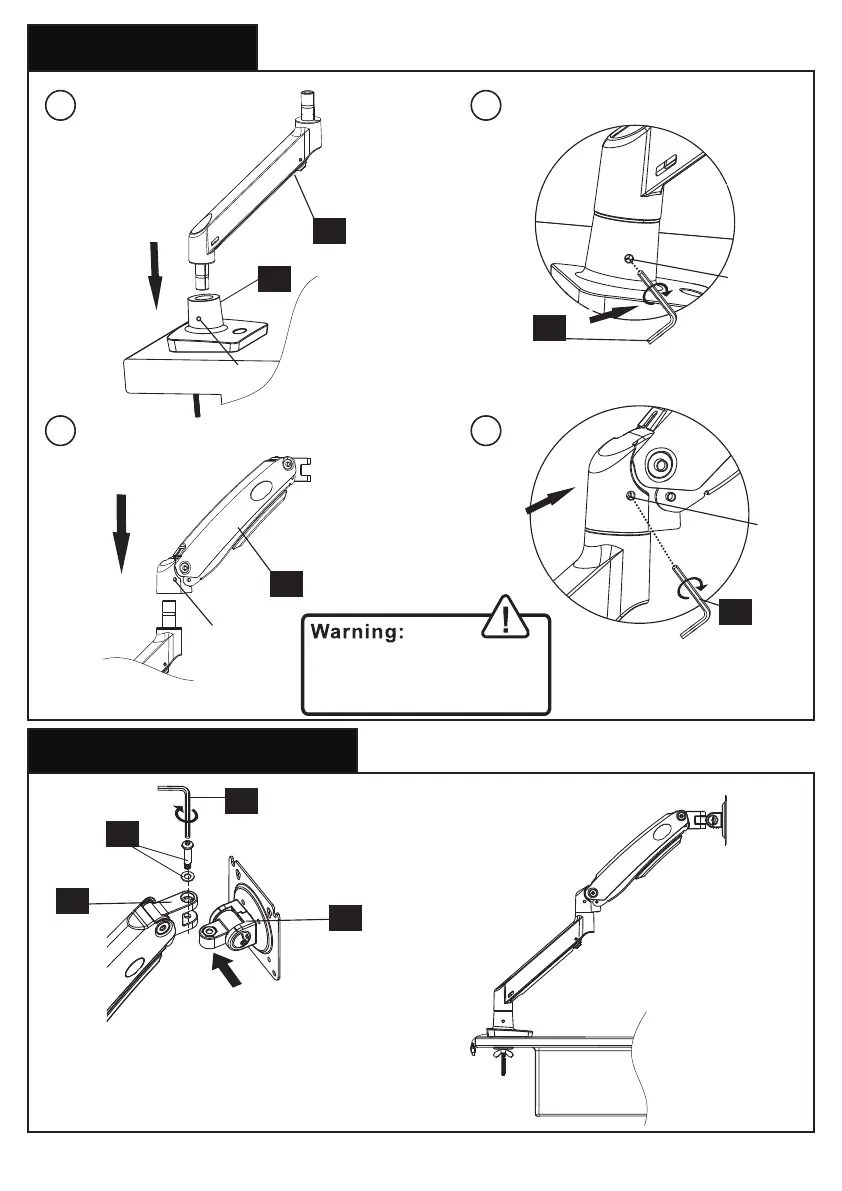
2. Install the Arms
3. Install the Monitor Plate
1 2
3 4
1/8 in.
(3mm)
1/8 in.
(3mm)
E
E
13/64 in.
(5mm)
E
G
06
01
01
02
03
Do not over-tighten the set
screw [M] in order not to
affect the rotation of the arm.
M
M
M
M
Attach the monitor plate [06] from the sides
of the top end of arm [01], then secure the
monitor plate using bolt and washer [G]
06



 To Next Page