MODE 1: Vacuum only (press the Vacuum button). The E100 will not move forward
automatically.
MODE 2: Brush only (press the Brush button). The E100 will move forward automatically.
MODE 3: Water/cleaning solution only (press the Water Pump button). The E100 will
not move forward automatically
.
MODE 4: Vacuum + Brush (Press the Vacuum and Brush buttons).
MODE 5: Vacuum + Water/cleaning Solution (Press the Vacuum and Water Pump
buttons).
MODE 6: Brush + Water/cleaning Solution (Press the Brush and Water Pump buttons).
The E100 will not move forward automatically,
MODE 7: Brush + Water/cleaning Solution + Vacuum (Press Brush, Water Pump, and
Vacuum buttons). The E100 will move forward automatically, cleaning the floor with
water and vacuuming automatically.
14 / 20
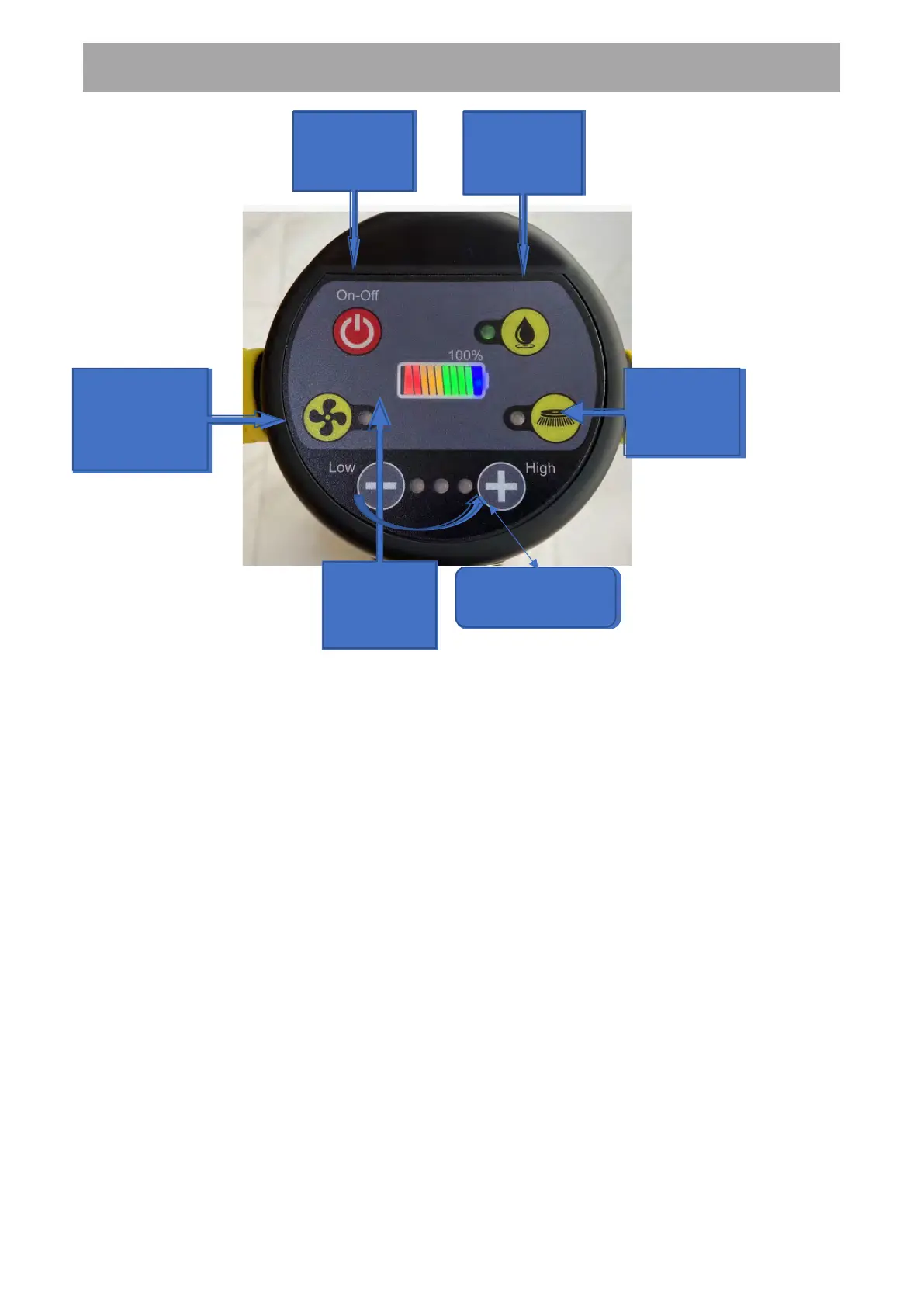
Power button
switch
Water pump
button switch
Brush plate
button switch
Battery
power
display
Vacuum
adjustment button
USER MANUAL
*Pressing the Water Pump button twice will increase solution flow.


 To Next Page
 Loading...