CD 7012, ISSUE 2, 08/03/2015 8
Ericsson AIR 21/AIR 32 Mounting Instructions
Mounting and Measuring using the Ericsson AIR 21 or AIR 21/AIR 32Mount
The AIR 21 and the AIR 21/AIR 32 antenna mount is unlike the standard AAT side mount in that
the main plate of the mount goes IN FRONT of the antenna rather than behind it. This location
allows the precisely spaced bumpers to match the highly contoured shape of the AIR 21/AIR 32
antenna in a reliable and repeatable way.
** Always use a safety tether on any items when working on a tower. This includes the AIR
21, or the AIR 21/AIR 32 Mount and AAT. **
** Do not attempt to mount either AIR mount to the antenna with the AAT installed. The AAT
will be installed later. **
1) Determine the type of antenna to be aligned (AIR 21 or AIR 32). Install the two threaded
bumpers/knobs in the holes corresponding to the type of antenna *** only the AIR 21/AIR 32
mount has the configurable bumpers ***.
2) Position and hold the AIR mount on the front of the AIR antenna near the top of the antenna.
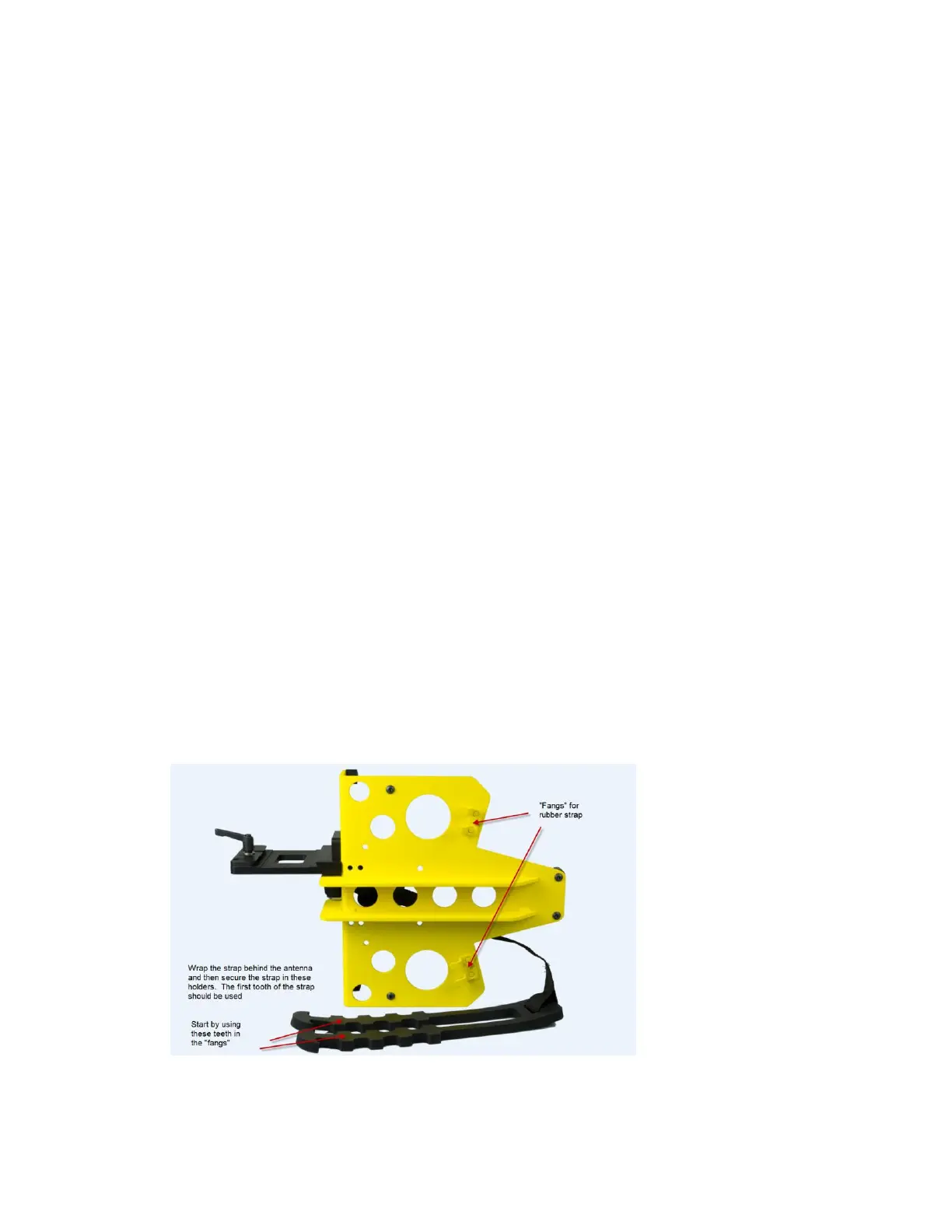
3) Loop the rubber strap around the back of the antenna and secure the rubber strap in the two
teeth on the main part of the mount using the “fangs” on the mount.
** NOTE: BE SURE THAT THE NYLON PORTION OF THE STRAP DOES NOT REST ON THE
ALUMINUM PLATE ON THE BACK OF THE AIR 21 ANTENNA. **


 To Next Page
 Loading...
