EasyManua.ls Logo

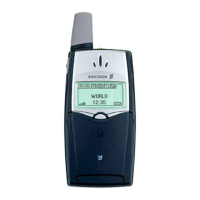
Ericsson T10s - User Manual

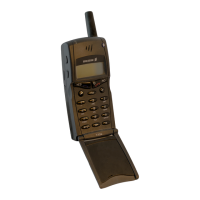
Ericsson T10s
95 pages
Print Icon
To Next Page IconTo Next Page
Loading...
Visit us on our website
http://mobile.ericsson.com
Ericsson Mobile Communications AB, SE-221 83 Lund, Sweden
EN/SVV 000 000 R1A
Mobile Phone
T10s
User’s Guide

Table of Contents

Questions and Answers

  • L
    Lynn MaynardJul 30, 2025
    What to do if my Ericsson Cell Phone says 'Wrong PIN, Wrong PIN2'?
    • D
      Duane MitchellJul 30, 2025
      If your Ericsson Cell Phone displays 'Wrong PIN' or 'Wrong PIN2', it means you've entered your PIN or PIN2 incorrectly. To resolve this, enter the correct PIN or PIN2 and press YES.
  • M
    Mark DiazAug 5, 2025
    Why does my Ericsson T10s say 'No network'?
    • T
      terripierceAug 5, 2025
      If your Ericsson Cell Phone displays 'No network', it indicates that there is no network within range, or the received signal is too weak. To fix this, move to an area where the signal is stronger.
  • W
    William DavisAug 11, 2025
    What to do if my Ericsson T10s Cell Phone says 'Insert card'?
    • J
      Jason Barnes DDSAug 11, 2025
      If your Ericsson Cell Phone displays 'Insert card', it means there is no SIM card in the phone. To solve this, insert a SIM card into your phone.
  • B
    butlerrhondaAug 16, 2025
    What to do if my Ericsson T10s Cell Phone shows 'Matching error'?
    • S
      Stacey PetersonAug 17, 2025
      A 'Matching error' on your Ericsson Cell Phone means that when changing a security code (like a PIN), you need to confirm the new code by entering it again. Enter the new code again to resolve this.
  • G
    Gary WashingtonAug 23, 2025
    Why does my Ericsson T10s Cell Phone say '112 only'?
    • I
      Isabella McdonaldAug 23, 2025
      If your Ericsson Cell Phone displays '112 only', it means you are within range of a network but are not allowed to use it. In an emergency, some operators allow you to call the international emergency number 112.

Summary

Getting Started

Preparing Your Phone for Use

Overview of phone parts, SIM card insertion, battery attachment, and charging procedures.

Turning Your Phone On and Off

Instructions for powering the phone on and off, including PIN entry and network search.

Display Information and Key Functions

Explanation of display icons, signal strength, battery status, and key functions.

Making and Receiving Calls

Covers making, ending, redialing calls, and procedures for international and emergency calls.

During a Call

Guidance on managing active calls, including volume adjustment, muting, and call hold.

Functions and Settings

Using the Menu System

Guide to navigating the phone's menu structure, scrolling, and selecting options.

Your Personal Phone Book

Instructions for storing, editing, recalling, and managing phone numbers.

Using the Call List

How to view and utilize the log of incoming, outgoing, and missed calls.

Your Voice Mail Service

Setup, activation, and usage of the voice mail service.

Personalizing Your Phone

Customizing ring signals, volume, keypad sounds, display settings, and alarms.

Sending and Receiving Text Messages (SMS)

Procedures for sending, receiving, reading, and managing SMS messages.

Diverting Incoming Calls

Setting up call forwarding rules for various scenarios like busy or no reply.

Security for Your Phone and Subscription

Covers keypad lock, SIM card lock, phone lock, and call barring features for security.

Handling More than One Call Simultaneously

Explains call waiting, conference calls, and call transfer functionalities.

Setting Network Preferences

Managing network selection, search modes, and preferred networks.

Knowing the Call Time;Call Cost

How to check call duration, cost, and set credit limits for calls.

Using Two Voice Lines

Managing alternate lines for personal and business calls, including custom names.

Calling from Your Car

Using handsfree solutions, setting answering modes, and other handsfree-related settings.

Calling Card or Credit Card Calls

Setting up and using calling card features for long-distance calls.

Sending and Receiving Faxes and Data

Activating data menus and defining incoming call types like fax or data.

Some Useful Functions

Covers special functions like editing numbers, alarms, calculator, and hiding numbers.

Additional Information

Troubleshooting

Lists common phone problems and their solutions, including error messages.

Quick Keys

Describes useful key combinations for optimizing phone functionality.

Technical Data

Provides specifications for the phone, including system, dimensions, and environmental data.

Glossary

Definitions of terms and features used throughout the manual.

Guidelines for Safe and Efficient Use

Safety precautions, efficient phone operation, and product care instructions.

Warranty

Information about the product's warranty coverage, terms, and conditions.

Declaration of Conformity

Statement confirming the product's compliance with relevant European standards.

Ericsson T10s Specifications

General IconGeneral
Network TechnologyGSM
2G bandsGSM 900 / 1800
GPRSNo
EDGENo
Announced1999
StatusDiscontinued
SIMMini-SIM
Display TypeMonochrome graphic
LoudspeakerNo
3.5mm jackNo
MessagingSMS
ClockYes
AlarmYes
GamesYes
JavaNo
Predictive text inputYes
Talk timeUp to 3 h
Alert typesVibration
Battery TypeNiMH
ColorsBlue

Related product manuals