EasyManua.ls Logo

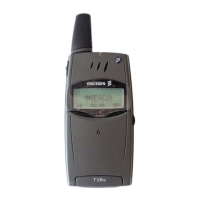
Ericsson T28s - User Manual

Ericsson T28s
139 pages
Print Icon
To Next Page IconTo Next Page
Loading...
Visit us on our website
http://mobile.ericsson.com
Ericsson Mobile Communications AB, SE-221 83 Lund, Sweden
EN/SVV 000 000 R1A
Mobile Phone
T28s
User’s Guide

Other manuals for Ericsson T28s

Questions and Answers

  • D
    Dawn JenkinsAug 15, 2025
    What to do if my Ericsson Cell Phone is blocked, and I need to contact the operator?
    • R
      ronaldfloresAug 15, 2025
      If your Ericsson Cell Phone displays 'Blocked Contact Operator', it means you've incorrectly entered your personal unblocking key code (PUK) 10 times consecutively. In this case, you should contact your network provider or service operator for assistance.
  • N
    Nicholas RiveraAug 18, 2025
    How to fix Wrong PIN or Wrong PIN2 error on Ericsson T28s?
    • M
      Maria MichaelAug 18, 2025
      If your Ericsson Cell Phone displays 'Wrong PIN, Wrong PIN2', you should enter the correct PIN or PIN2, and then press YES.
  • J
    Justin EvansAug 21, 2025
    What to do if my Ericsson T28s Cell Phone says 'No Network'?
    • D
      David KennedyAug 21, 2025
      If your Ericsson Cell Phone displays 'No Network', it indicates that there is no network within range or the received signal is too weak. To resolve this, move to an area where the signal is strong enough.
  • N
    Nicole Oconnor DVMAug 25, 2025
    Why my Ericsson Cell Phone cannot be switched on?
    • A
      annatorresAug 25, 2025
      If your Ericsson Cell Phone cannot be switched on, you should recharge or replace the battery. Also, make sure that the phone is properly inserted into its holder.
  • R
    rebeccadeckerAug 27, 2025
    How to fix 'Insert Card' error on Ericsson T28s Cell Phone?
    • J
      Jeffrey BlackAug 27, 2025
      If your Ericsson Cell Phone displays 'Insert Card', it means there is no SIM card in the phone or it may have been inserted incorrectly. To fix this, insert the card correctly.
  • S
    Stefanie HarrisAug 30, 2025
    What to do if my Ericsson T28s Cell Phone says 'Insert Correct Card'?
    • B
      bgomezAug 30, 2025
      If your Ericsson Cell Phone displays 'Insert Correct Card', you should insert the correct SIM card.
  • Z
    zlyonsSep 2, 2025
    Why does my Ericsson T28s charge slowly with an alien battery?
    • P
      Pamela FranklinSep 2, 2025
      If your Ericsson Cell Phone displays 'Alien Battery - Slow Charging Only', it means that the battery you are using is not an Ericsson-approved battery. It is charging slowly for safety reasons.
  • M
    Marcus RiveraSep 5, 2025
    Why is there no indication of charging on my Ericsson T28s Cell Phone?
    • D
      Daniel DiazSep 5, 2025
      If your Ericsson Cell Phone displays 'No Indication of Charging', when you start charging a battery that is empty or a battery that has not been used for a long time, it may take a while until the indicator on the top of the phone shows a red light and the battery meter appears.
  • T
    Timothy BlakeSep 8, 2025
    What does 'SOS Calls Only' mean on my Ericsson Cell Phone?
    • J
      jenkinsdawnSep 9, 2025
      If your Ericsson Cell Phone displays 'SOS Calls Only', in an emergency, some operators allow you to call the international emergency.
  • C
    Cassidy CollinsSep 12, 2025
    Why there is no indication of missed calls on my Ericsson T28s Cell Phone?
    • D
      Derek MartinezSep 12, 2025
      If your Ericsson Cell Phone gives no indication of missed calls, ensure that the Call List feature is enabled.

Summary

Introduction to the Mobile Phone

Preparing the Device for Use

Initial setup and basic preparation steps for using the T28s mobile phone.

Turning the Phone On and Off

Instructions on how to power the mobile phone on and off.

Display Information and Key Functions

Using the Menu System

Instructions for navigating through the phone's menu structure.

Phonebook Management

Managing Contacts

Adding, editing, and deleting contacts in the phone's address book.

Call Management

Making and Receiving Calls

Guide on how to initiate calls, answer incoming calls, and end calls.

During a Call

Features and operations available while engaged in a phone call.

Personalizing Your Phone

Silent and Vibration Modes

Configuring silent and vibration alerts for calls and notifications.

Customizing Ringtones

Setting and changing ringtones for calls and messages.

Sending and Receiving Text Messages (SMS)

Writing and Sending SMS

Step-by-step guide on composing and sending SMS messages.

Message Options

Managing message options like saving, forwarding, and deleting.

Device and Subscription Security

SIM Card Security

Managing SIM card lock and PIN/PUK codes.

Phone Locking

Setting up a passcode to secure the phone.

Handling Multiple Calls Simultaneously

Call Waiting

Using and managing the call waiting feature.

Calling Card Calls

Managing Calling Card Numbers

Saving and managing calling card numbers.

Some Useful Tools

Alarm Clock

Setting and using the alarm clock function.

Profile Concept

Understanding Phone Profiles

Overview of different phone profiles (Normal, Meeting, Car, Outdoor, Home).

On-line Services

Accessing Online Services

Introduction to online services and their capabilities.

SIM Card Services

SIM Initiated SMS

Sending SMS messages initiated by the SIM card.

Additional Information

Troubleshooting

Solutions for common problems and error messages.

Technical Data

Specifications, dimensions, and environmental data for the device.

Guide to Efficient and Safe Use

Essential guidelines for safe and optimal operation and maintenance of the phone.

Warranty Information

Details regarding the product warranty, terms, and conditions.

Ericsson T28s Specifications

General IconGeneral
ModelT28s
Network TechnologyGSM
2G bandsGSM 900 / 1800
NetworkGSM
GPRSNo
EDGENo
Announced1999
StatusDiscontinued
Dimensions101.5 x 49 x 15 mm (3.98 x 1.93 x 0.59 in)
Weight98 g (3.46 oz)
SIMMini-SIM
Display TypeMonochrome graphic
Internal MemoryNo
Call records10 dialed, 10 received, 10 missed calls
LoudspeakerNo
3.5mm jackNo
MessagingSMS
ClockYes
AlarmYes
GamesYes
Talk time2 h - 4 h 30 min
PhonebookYes
Alert typesVibration
LanguagesMultiple
Battery typeRemovable Li-Ion
Special FeaturesVoice dial

Related product manuals