EasyManua.ls Logo

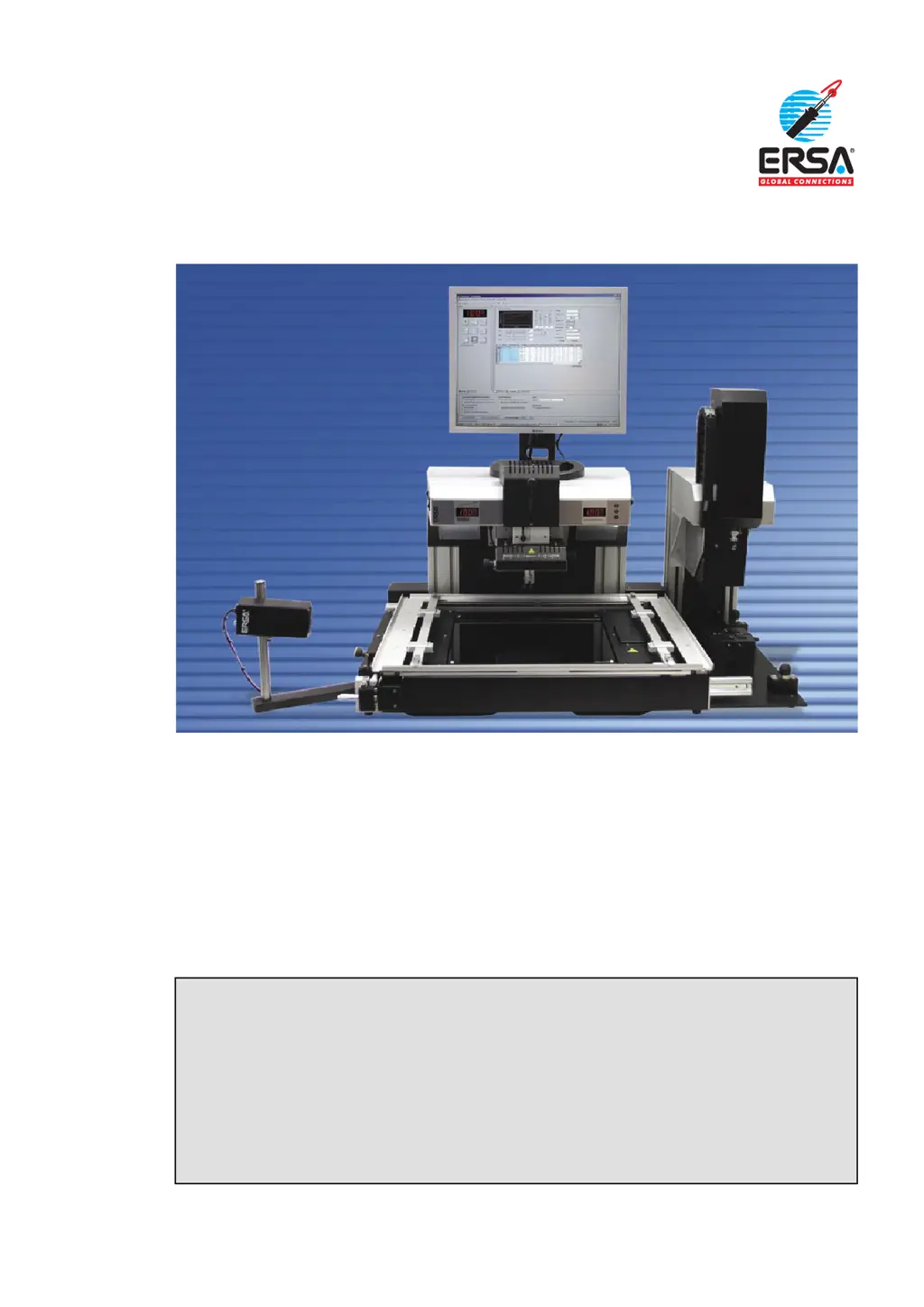
ersa IR 650 A - User Manual

ersa IR 650 A
36 pages
Print Icon
To Next Page IconTo Next Page
Loading...
Operating Instructions
ERSA IR 650 A and PL 650 A
Semi-Automatic SMD/BGA Rework System
ERSA GmbH
Leonhard-Karl-Str. 24
97877 Wertheim / Germany
Service Phone +49 9342/800-147
Fax +49 9342/800-256
Email service.tools@ersa.de
Internet www.ersa.com
Document 3BA00143 Rev.2

Questions and Answers

  • W
    wsantosAug 15, 2025
    How to troubleshoot a non-functioning IR system on my Ersa Welding System?
    • A
      alyssa99Aug 15, 2025
      If the Ersa Welding System's IR system isn't functioning, check if the power cable is properly connected to a power outlet. Also, inspect the device fuse and replace it if defective. Finally, ensure that the EMERGENCY-STOP switch is set to the 'I' position.
  • A
    Alexis ReynoldsAug 18, 2025
    What to do if the Ersa IR 650 A Welding System display shows ?
    • W
      William DorseyAug 18, 2025
      If the Ersa IR 650 A Welding System display shows , it could be due to a few reasons. First, check for any obstacles blocking the movement range of the IR head and remove them. Second, the IR head might be mechanically blocked, so clear any obstructions. Lastly, the motor could be defective, requiring a replacement.
  • M
    Michael BaileyAug 21, 2025
    What does mean on my Ersa IR 650 A Welding System?
    • C
      Christine WilsonAug 21, 2025
      If the Ersa IR 650 A Welding System displays , it means the regulating sensor isn't detecting any temperature change during heating. Make sure the thermocouples are intact and properly aligned with the measurement object.
  • C
    Carol ShahAug 25, 2025
    Why isn't the compressor switching on in my ersa IR 650 A Welding System?
    • R
      Ryan FergusonAug 26, 2025
      If an aggregate (compressor, fan, etc.) of the Ersa Welding System doesn't switch on, open the IRSoft status display. Check if the software activates the aggregate. If it does, the aggregate needs to be replaced.
  • J
    jacksondanielAug 28, 2025
    What does mean on the Ersa IR 650 A Welding System display?
    • S
      Shelby SteeleAug 28, 2025
      If the Ersa IR 650 A Welding System display shows , this could be due to a few reasons. It may be that the device is not detected by the PC, or the driver has not been installed, or the interface setting is incorrect. Install the driver and make the interface settings as described in the Online Help.
  • M
    Matthew CaldwellSep 1, 2025
    What does mean on the Ersa IR 650 A Welding System?
    • Y
      Yolanda BlanchardSep 1, 2025
      If the Ersa IR 650 A Welding System displays , it indicates an error with external thermocouple 1. Ensure that an intact thermocouple is connected.
  • C
    coxalyssaSep 4, 2025
    What does mean on the Ersa IR 650 A Welding System?
    • J
      Jonathan AndrewsSep 4, 2025
      If the Ersa IR 650 A Welding System displays , it indicates an error with external thermocouple 2. Ensure that an intact thermocouple is connected.
  • M
    mdunlapSep 7, 2025
    What does mean on the Ersa IR 650 A Welding System display?
    • N
      Natalie VasquezSep 8, 2025
      If the Ersa IR 650 A Welding System display shows , the USB cable might not be correctly plugged in. Connect the USB cable to both the device and the PC.
  • H
    Heather WellsSep 12, 2025
    What does mean on the Ersa IR 650 A Welding System display?
    • J
      John PotterSep 12, 2025
      If the Ersa IR 650 A Welding System display shows , the device is not switched on. Switch on the device.

ersa IR 650 A Specifications

General IconGeneral
Brandersa
ModelIR 650 A
CategoryWelding System
LanguageEnglish

Related product manuals