Quick setup
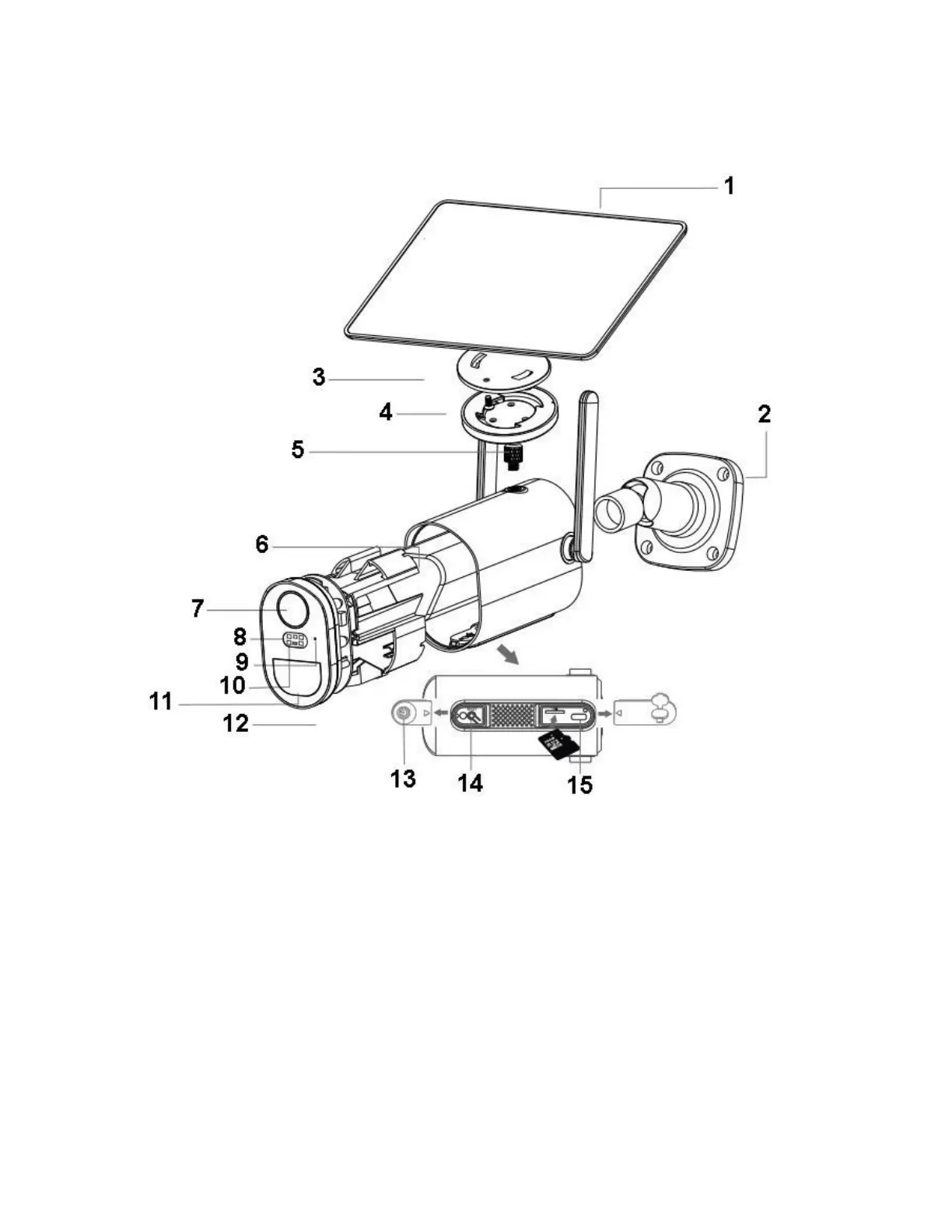
- Insert the USB cable of solar cable into the USB port on the bracket base for battery
charging
- Press the power switch to turn on/off the camera
- Wait for the voice prompt step by step for pairing the camera with the App
Note
- Before you turn on the camera, please close the silicone flap to avoid rain leakage
- Make sure your phone is connecting to the 2.4GHz WiFi first before you pair the
camera


 To Next Page