Need help?
Do you have a question about the Escooter Hover-1 Axle and is the answer not in the manual?
Always wear a properly fitted helmet that complies with safety standards and covers your forehead.
Step on quickly and evenly. Expect normal vibration or spinning if weight is applied to only one foot mat.
Plug the charger into the charge port located at the back and check charging status indicators.
Turn on, hold button for 15s, release after 5 flashes, then turn off and on to complete calibration.
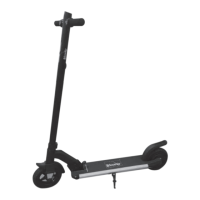
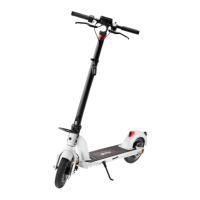
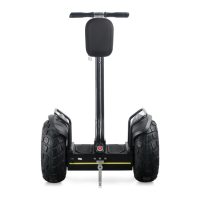
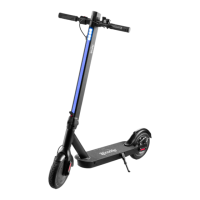
The Hover-1 Axle is a personal electric scooter designed for individual transportation. This quick start guide provides essential information for safe operation, initial setup, riding techniques, charging, and calibration.
Before riding the Hover-1 Axle, it is crucial to prioritize safety by wearing a properly fitted helmet. The helmet should comply with CPSC or CE safety standards, ensuring it meets recognized safety requirements. Proper helmet fitting is essential; make sure the helmet covers your forehead to provide adequate protection. Always wear your helmet when riding the scooter to minimize the risk of head injury in case of a fall or accident.
Upon unboxing, you will find the Hover-1 Axle scooter itself, a wall charger for recharging the device, and an operation manual/quick start guide. The manual contains detailed instructions and important information for the safe and effective use of your scooter.
Riding the Hover-1 Axle requires a specific technique to ensure stability and control. To begin riding, it is important to stay relaxed. Step onto the foot mats quickly, confidently, and evenly. A helpful mental image is to imagine climbing stairs, placing one foot down, then the other. Once both feet are evenly placed on the mats, look up to maintain balance. It is normal for the Axle to vibrate or spin in one direction if weight and pressure are applied to only one foot mat. This indicates that the device is responding to uneven weight distribution, and you should adjust your stance to apply even pressure. The key to smooth riding is to apply equal weight and pressure to both foot mats.
To ensure your Hover-1 Axle is ready for use, it needs to be properly charged. The charging process is straightforward:
Calibration is a crucial step to ensure the Hover-1 Axle operates correctly and maintains balance. If your scooter is not balancing properly or seems to be drifting, recalibration can often resolve these issues. Follow these steps to calibrate your Axle:
While the manual does not explicitly detail extensive maintenance features, the calibration process can be considered a key maintenance step for ensuring the device's operational integrity. Regular calibration helps maintain the scooter's balance and responsiveness, which are critical for safe and enjoyable riding. Keeping the device charged also contributes to its overall health and longevity.
For UK customers needing assistance, customer service can be reached by phone at +44 (0) 1355 241222 or via email at escooters@letmerepair.co.uk. For customers in other countries, the manual directs them to scan a provided QR code for support. It is important to retain the quick start guide, a copy of your purchase receipt, and your 23-digit serial number for your records, as this information will be necessary for any warranty claims or customer service inquiries.
In summary, the Hover-1 Axle is a personal mobility device that emphasizes user safety through helmet use, provides clear instructions for riding and charging, and offers a straightforward calibration process to maintain optimal performance. Its design focuses on ease of use and accessibility for personal transportation.
 General
| Motor Power | 250W |
|---|---|
| Max Load | 220 lbs |
| Brakes | Electronic and foot brake |
| Foldable | Yes |
| Battery | 36V, 4.0 Ah Lithium-ion |
| Tire Size | 8.5 inches |


 To Next Page