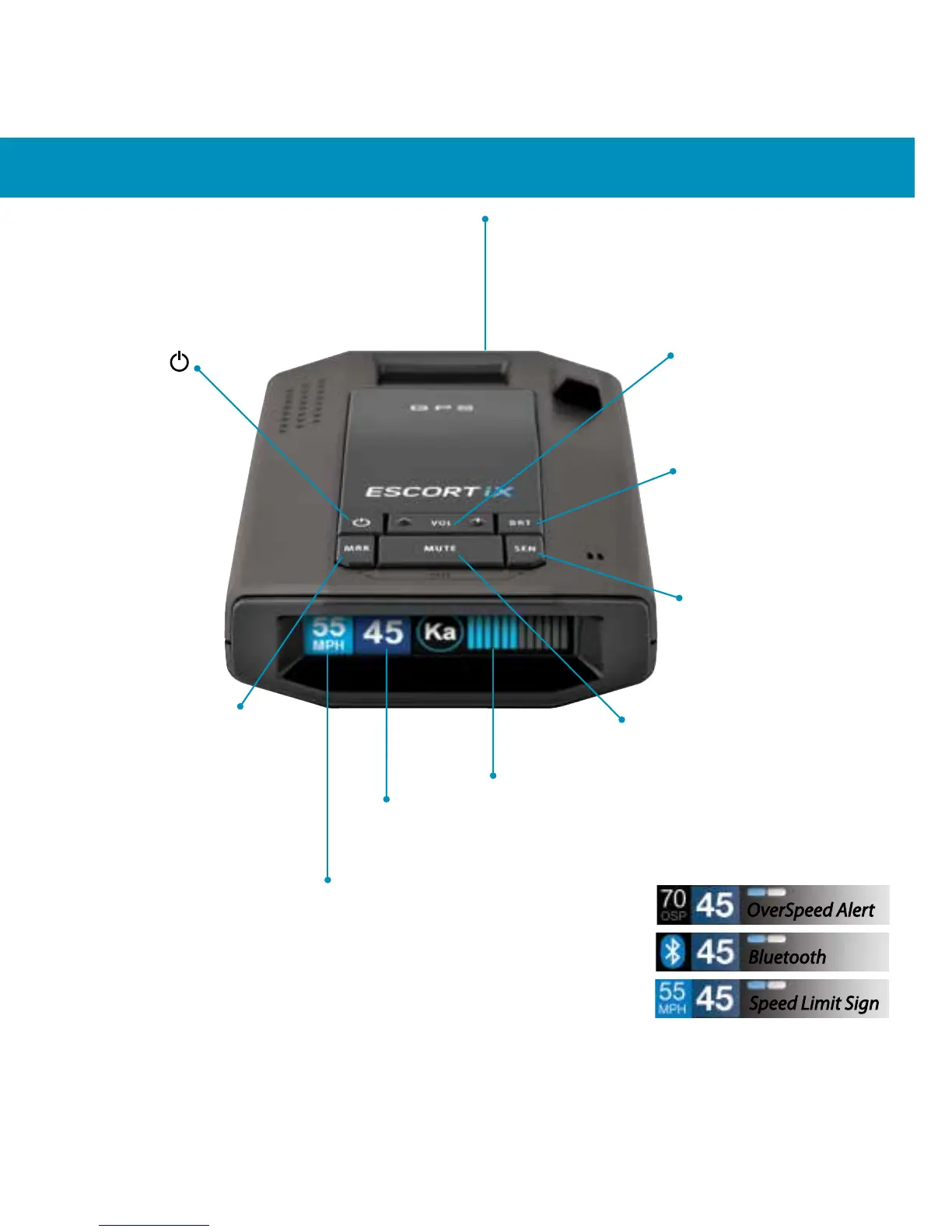
Controls & Features
Display (OSP)
OverSpeed alert setting that can be
adjusted in Preferences. Bluetooth
icon will appear on display screen
blue when paired to phone and
Speed limit data will show here when
ESCORT Live App is open.
Mark Location (MRK)
To mark a location for
future alerts, press MRK
twice, then VOL + or – to
select the type of marker,
then MRK again to
conrm. Press twice
while receiving marker
alert to unmark
Display
Current speed
Power
Press to turn
ESCORT iX on or o
Mute
Press to mute an alert;
press three times to lock
out a false alert; press
twice while receiving a
locked-out alert to
unlock
Brightness (BRT)
Press to adjust display
brightness (Min, Med,
Max, Auto, Dark)
Sensitivity (SEN)
Press to adjust detector
sensitivity (Highway,
Auto, Auto NoX)
Volume
Press and hold + or − to
adjust volume
Mount Area
The EZ Mag Mount™
attaches to device here
7
Display
Alert area
OverSpeed Alert
Bluetooth
Speed Limit Sign



 To Next Page