DEFENDER DATABASE
Before using this radar detector we suggest that you rst
register your device. Keep your radar detector on hand as you
will need the serial number. The Australian & New Zealand
Defender database has been preloaded and the unit set up for
your region, so you can run it straight out of the Box. However
we recommend from time to time you update the unit. Follow
the below instructions to register and run future updates on
your unit.
Step 1: Go to https://anz.escortradar.com/pages/international-
product-registration
This will take you to the “Product Registration” form. Complete
the online form and create a password – Your email address and
password are required to use the Escort Live App.
Step 2: Click on the left menu item labelled “Update Your Device”
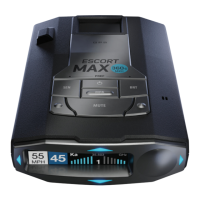
Select Max 360c from the dropdown list and download and install
“Detector Tools Pro” Both Windows and Mac versions available.
Step 3: Once downloaded and installed, open the program and
plug in your detector using a USB to mini USB cable. Once the
detector has been recognised, the serial number (top right of the
program window) will turn green which indicates the device is ready
to proceed.
Step 4: Click on the rst large icon labelled “Merge your data with
the latest Escort Defender Database”. The database will now
download directly to your device. Do not unplug the device until
you see the pop up message saying it has completed.
Step 5 (Optional): To use Escort Live, connect your radar detector
to your smartphone via Bluetooth – Refer to the Quick Start Guide
included in the box.



 To Next Page