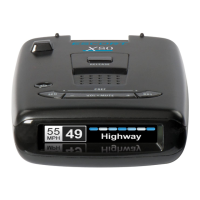
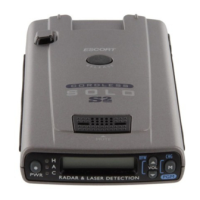
DEVICE SETTINGS
When connected to the Escort Live app, you can use the app
to change your settings. If you don’t wish to use the app, the
settings can be changed on the radar detector as follows:
Access the “Preferences” menu - Press and hold MARK and SEN
buttons together.
MARK is used to change and review the preference category.
+ and - are used to change the settings within a category.
SEN is used to change and review a sub-category and to conrm
selections.
To exit, press the power button or simply wait a few seconds
without pressing any buttons. A “Completed” message will display,
conrming your selection(s) are now saved.
Recommended settings:
Refer to the user manual (available to download https://anz.
escortradar.com/pages/product-help-manuals) for full meanings of
the different options
User Mode: Advanced
Pilot Mode: Full Word
Speed Display: On
Cruise Alert: 40km/hr
Over Speed: 110km/hr
Over Speed Limit: Speed Limit
Meter Mode: Spec
Alert Tones: Standard
AutoMute: Medium
AutoLearn: On
AutoPower: Off


 To Next Page