16
To +HR Boost Hot Water
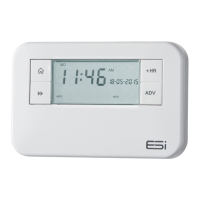
1. Press the Next
button until the tap symbol is
displayed. Press the +HR button.
2. One press of the button will give one extra hour of
Hot Water; two presses of the button will give two
extra hours; three presses of the button will give the
maximum three extra hours. Pressing it again will switch
off the +HR function.
3. The +1HR, +2HR or +3HR status will appear on the right
hand side of the tap symbol.
Holiday Mode
Holiday Mode saves energy by letting you reduce the
temperature for 1 to 99 days while you are away from home,
resuming normal operation on your return.
1. Press
to enter Holiday Mode and the screen will
display d:1.
2. Press +/– buttons to select the number of days you would
like the holiday mode to run for (between 1-99 days).
3. Press the
Home button to confirm. The system will
now turn OFF for the number of days chosen. The
number of days will alternate with the time symbol on
display and the number of days will count down.
4. Once the countdown has finished, the programmer will
return to normal operation. It may be advisable to set
the Holiday Mode 1 day less so the house is back up to
temperature for your return.
5. To cancel the Holiday Mode, press
the button to
revert back to run mode.


 To Next Page