7
2. Switching between 5 Series
Thermostats
The simple click on/off backplate is designed to be fully
interchangeable throughout the entire 5 range and, with just
a 5 volt connection, can be upgraded to different versions
safely by the homeowner without disconnecting the power or
re-wiring.
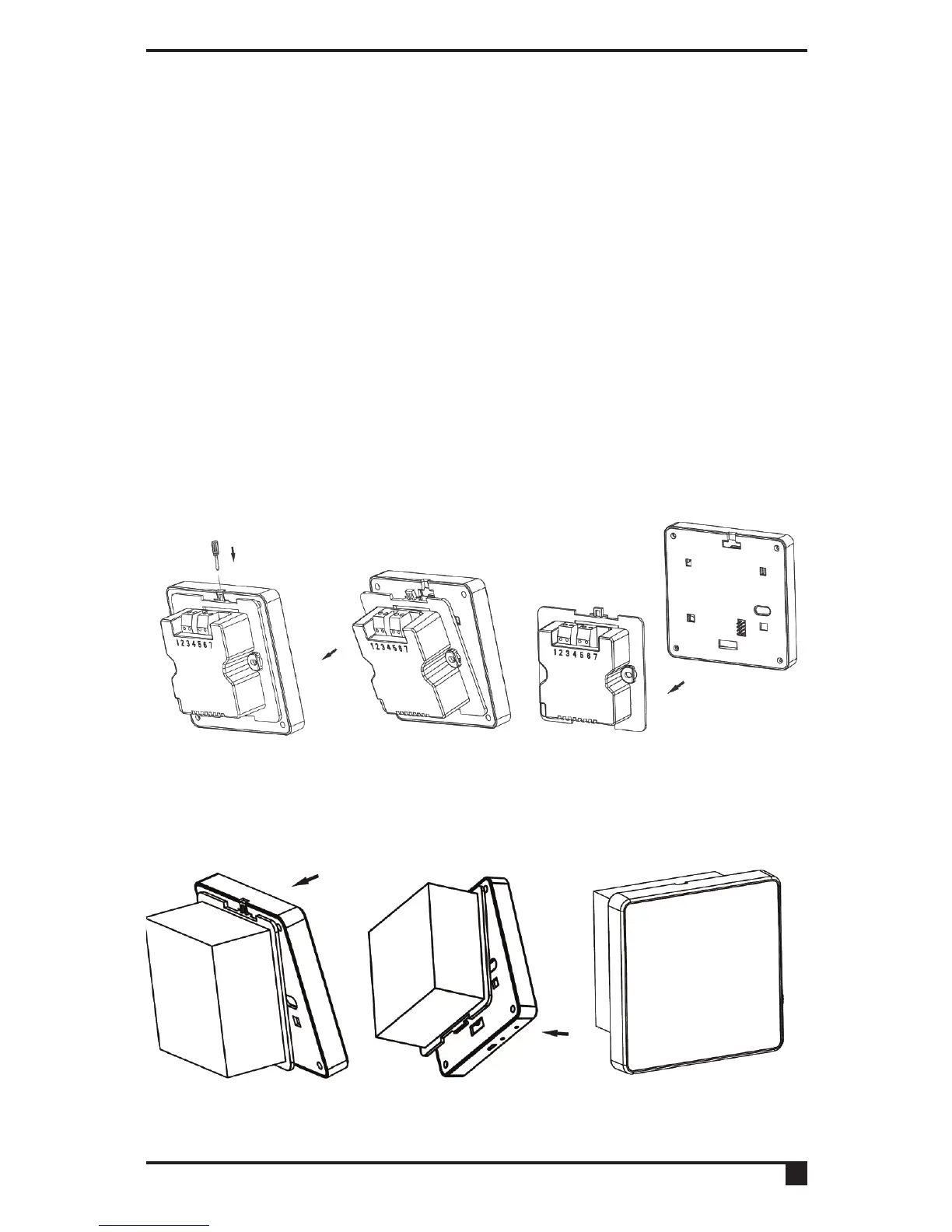
2.1 Removing the thermostat from the backplate
Use a flat headed screwdriver to press the fastener at the top
of the unit. Then gently loosen from the unit, unhooking from
top to bottom.
2.2 Attaching the thermostat to the backplate
Fit the unit onto back-plate securing from bottom to top.



 To Next Page