ESI Miditerminal M4U
6
If you want go back to the Normal mode, always push to pull out the button.
2) THRU Mode 1: Input and Output ports will be matched by 1:1.
For example, MIDI data from Input 2 directly goes to Output 2.
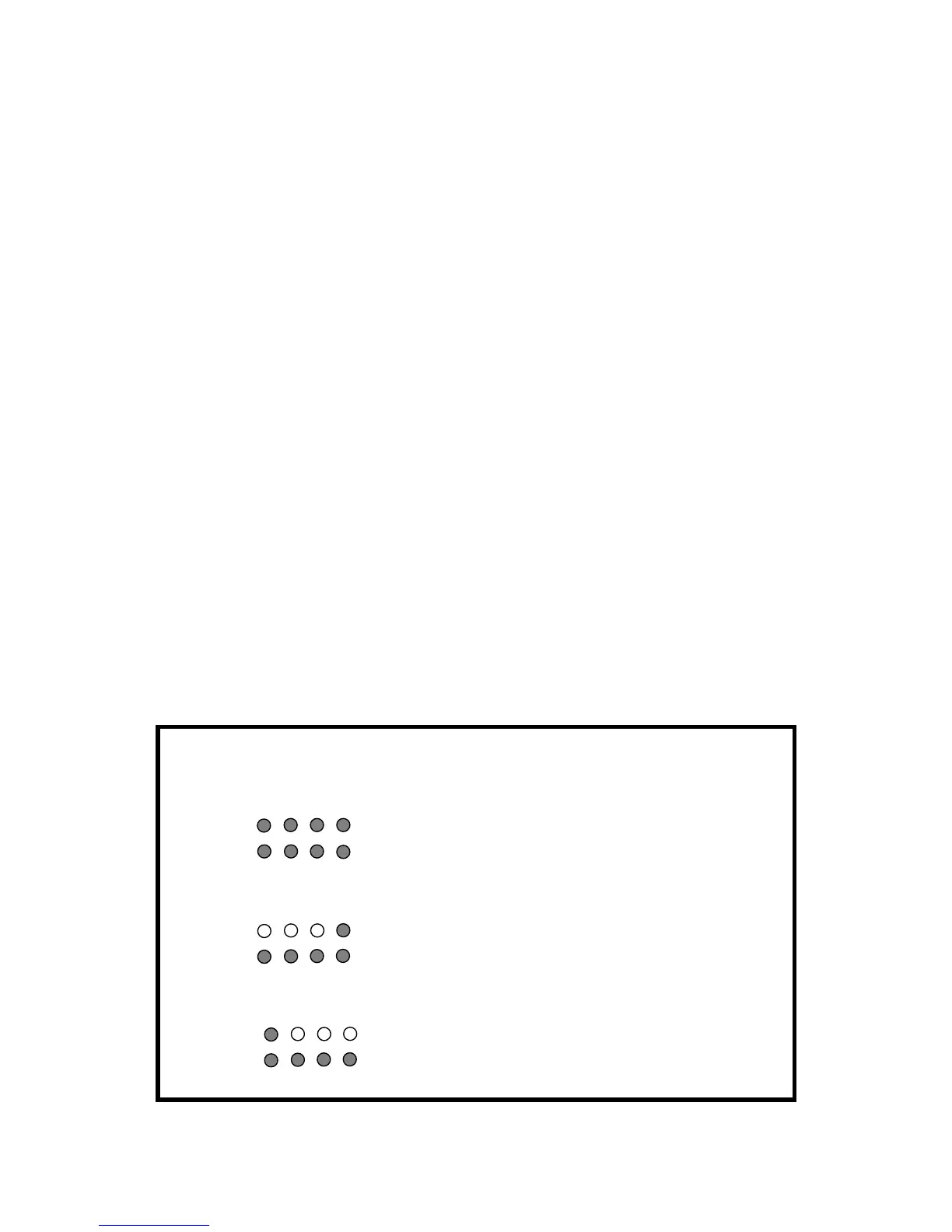
All LED display will be turned on. After 2~3 seconds, LED will be turned off again.
Power/THRU LED will become green color.
3) THRU Mode 2: The MIDI data from Input 4 goes to Output 1~4.
LED Display Input 4 and Output 1~4 would be turned on.
After 2~3 seconds, Output 1~4 will turned off. ( Input 4 is remains to be turned on)
Output LED will be lit by signal.
Power/THRU LED will become green color.
4) THRU Mode 3: The MIDI data from Input 1 goes to Output 1~4.
LED Display Input 1 and Output 1~4 would be turned on.
After 2~3 seconds, Output 1~4 will be turned off.( Input 1 is remain to be turned
on)
Output LED will be light by signal.
In addition, Power/THRU LED will become green color.
* Three kinds of THRU modes are changed in sequence whenever the button is
pushed in.
Function LED signal display
Normal
Basic MIDI interface
THRU 1
I/O port matching (1:1)
All LED display will be turned on
After 2~3 seconds, LED will be turn off again
Flickering according to the signal
THRU 2
In 4 -> All MIDI Outputs
In 4, Out 1~4 display will be turned on
After 2~3 seconds, Out 1~4 LED will be turn
off again (In 4 will be remains to be turned on)
Flickering according to the signal
THRU 3
In 1 -> All MIDI Outputs In 1, Out 1~4 display will be turned on
After 2~3 seconds, Out 1~4 LED will be turn
off again (In 1 will be remains to be turned on)
Flickering according to the signal



 To Next Page