M8U ESI
Sonar
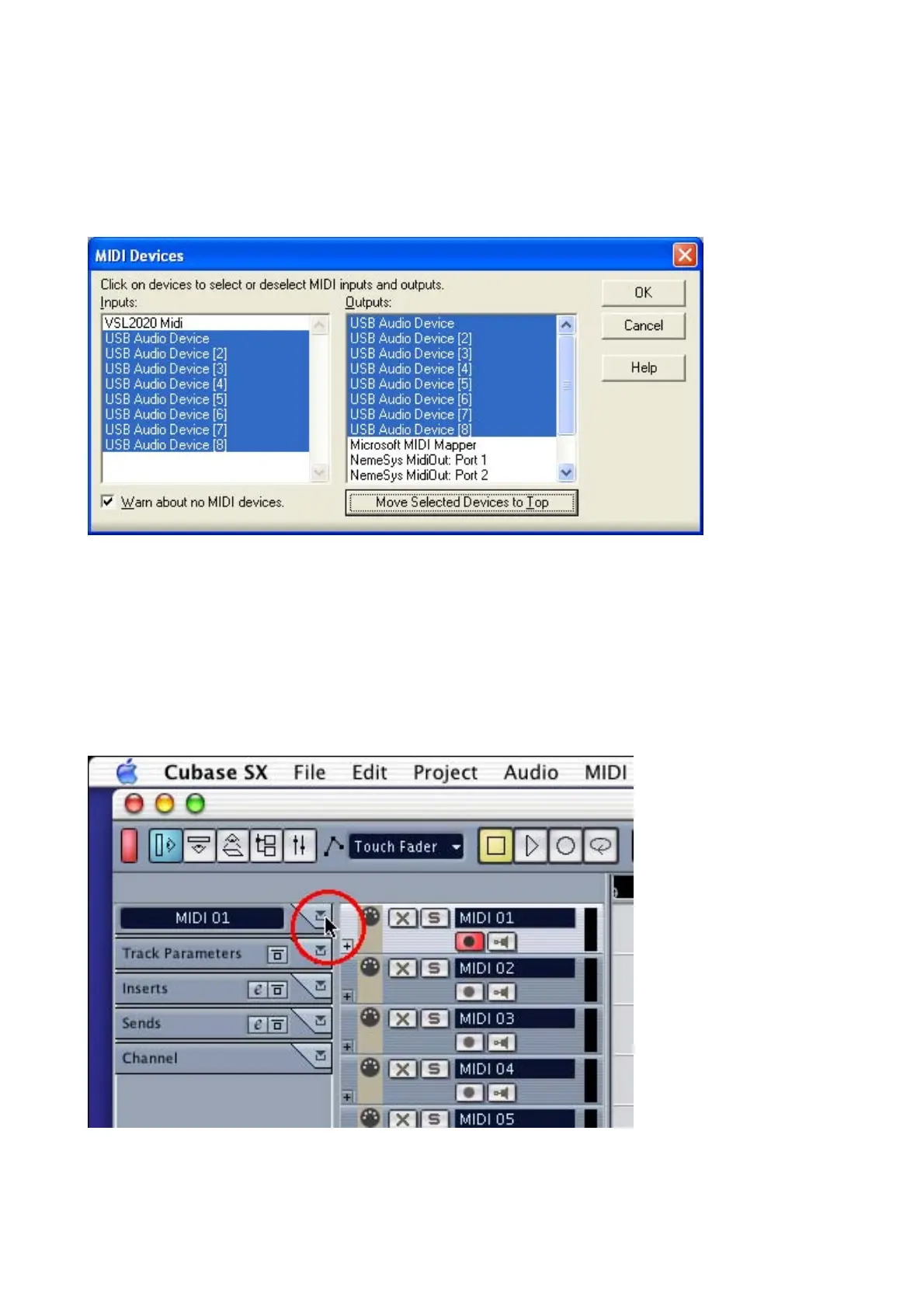
After launching Sonar, Go to Option -> MIDI devices setting and select USB Audio Device or
M8U.
Mac
As long as the M8U is recognized by Mac OS X with no problem, all the applications that support
CoreMIDI should work fine with the M8U. Here are some examples of how to change application
settings for using the M8U.
Cubase SX
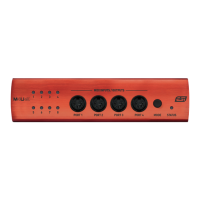
In Cubase, expand the MIDI section in the Inspector by clicking its tab.
In this section, you can choose a port (or all ports) for MIDI input.
14


 To Next Page