Introduction
Esky key finder can help you to find the lost keys, remotes, purses,
eyeglasses, canes, and other easily lost items quickly. Once you
press the color-coded button on the remote, it will sound beeps to
lead you to find the lost items. Comes with a base, the key finder is
also a nice display for your house. The remote can be dependently
carried with you to find the lost small gadgets.
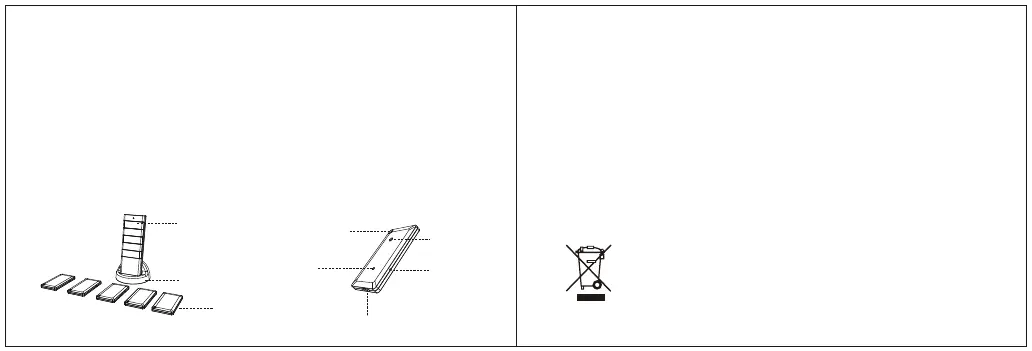
Product Diagrams
Remote
Base
Receivers
Key Ring
LED
Buzzer
Activate
Micro USB
Battery Installation
Remove the battery cover located on the back of the remote.
Install the batteries according to the (+) and (-) marks inside the
battery compartment.
Reinstall the battery cover.
Do not mix old and new batteries.
Do not mix Alkaline, standard (carbon-zinc) or rechargeable batteries.
Remote
Follow the steps below to install batteries into the remote.
•
•
•
Warning:
To protect our environment, please follow the environmental
protection law and related regulations to handle the used
batteries properly. Never discard them by directly throwing into a
garbage bin.
-1-
-2-
※
※


 To Next Page