Celebrating over 30 years of excellence in manufacturing ultrasonic cleaning
equipment, electropolishing equipment and associated chemistries
ESMA, Inc.
P. O. BOX 734 * SOUTH HOLLAND, IL 60473 * (800)-276-2466 * FAX (708)331-8919
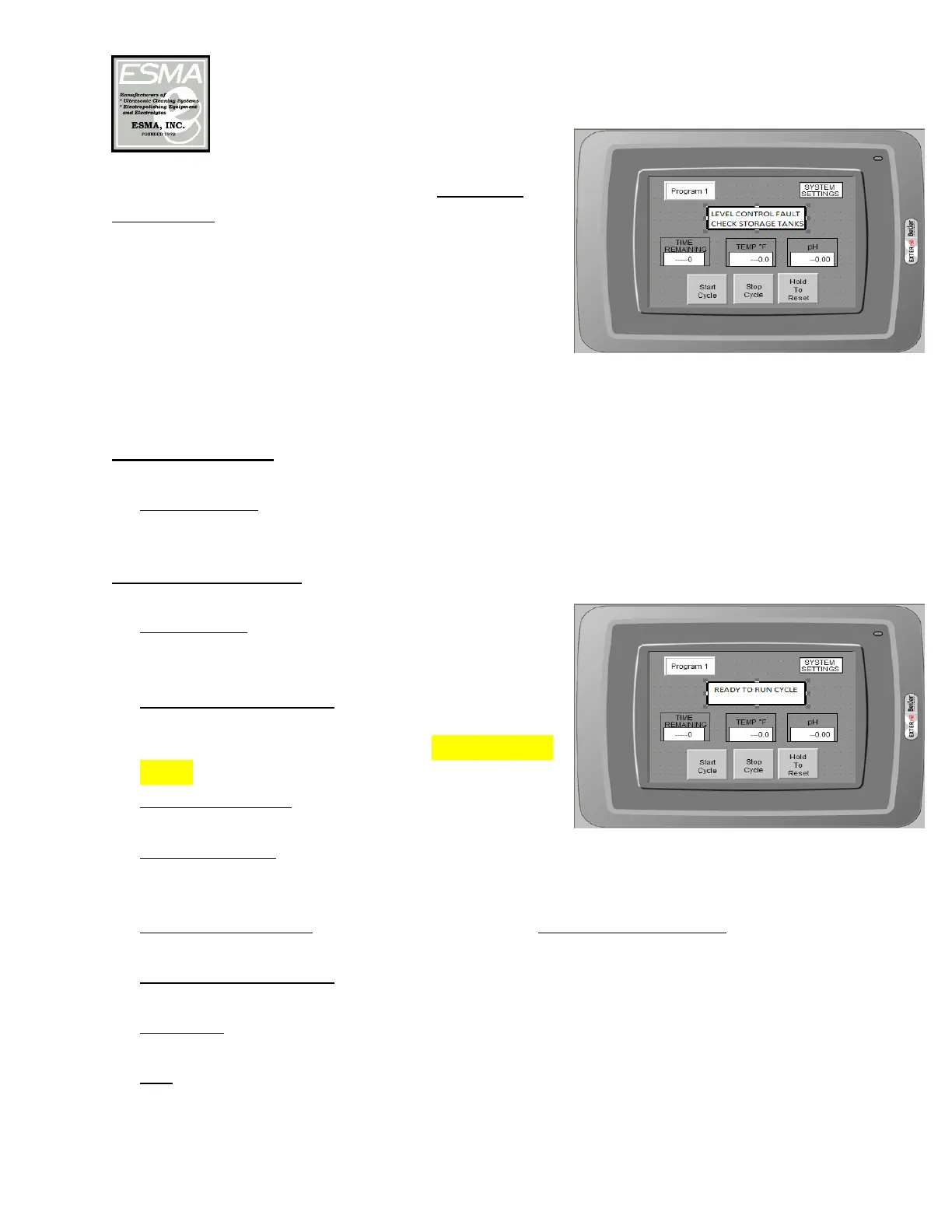
Each storage tank is equipped with a high level
float switch. If the fluid level rises too high, the
float will trigger a system halt indicated on the
HMI (see picture at right). This will indicate that
there is a problem in the system which needs to be
addressed. If the float is reset, pressing START
will resume the program.
Control Function
1. Main Switch: When unit is ready for operation, turn the main switch to ON and
the Interface screen will display “Ready to Run Cycle”.
HMI Display Screen
2. PROGRAM: Pressing this button will open a
drop down menu to select a program. (see
below)
3. SYSTEM SETTINGS: Pressing this button
will open a numeric input pad for password
protection of all the cycle times. The password
is 450
4. START CYCLE: Press the start button to begin
any process.
5. STOP CYCLE: Pressing this button will pause the cycle. Pressing START
CYCLE again will resume the cycle at the same step; however, the timer for
that step will be reset.
6. HOLD TO RESET: Pressing this button and holding for 2 seconds will reset
system. (Button will blink to indicate a reset)
7. TIME REMAINING: This is a display only item and indicates the time
remaining for the current step.
8. TEMP °F: Indicates current temperature of the bath. Temperature settings can
be set in the SYSTEM SETTINGS.
9. pH: Indicated the current pH reading by the probe. pH settings can be set in
the SYSTEM SETTINGS.



 To Next Page
 Loading...