Prolonged use of the device control units (e.g. controllers) may cause pain in muscles, joints and skin.
If you feel pain, fatigue, numbness, burning or stiffness of any part of your body while playing, take a
break and rest for several hours prior to playing again. In case of any recurrence of symptoms or
feeling any other discomfort during or after playing, stop using the device and consult your doctor.
Radio frequency interferences
The device with your smartphone inside it may emit radio waves which can affect the operation of
electronic devices operating nearby (also cardiac pacemakers). If you use a pacemaker or other
implanted medical devices, do not use the device prior consulting your doctor or the manufacturer of
your medical device.
General remarks
• It is recommended to wear contact lenses while using the device.
• Keep your lenses clean - dirty lenses may distort vision. Take care not to scratch the lenses. They
can be cleaned with a cloth intended for cleaning lenses, e.g. Esperanza (ES109) microfibre cloth.
• The device should be stored and used at a temperature of 5°C-35°C.
INTRODUCTION
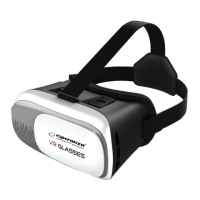
ESPERANZA EMV300 glasses worn over your head in combination with your smartphone take you
into the world of virtual reality. They work well with smartphones on Android or iOS systems. Upon
placing your telephone in the device, you can enjoy the content of 2D or 3D (play games or watch
films). The telephone can be connected with other devices, e.g. game controllers and Bluetooth
headphones.
To make the most of VR games it is recommended to use smartphone with a built-in gyroscope. The
complete list of available models can be found at website:
http://esperanza.pl/esperanza-okulary-3d-vr-dla-smartfonow-3-5-6,285,1544.html
DRIVERS / EXTRAS tab.
Information on applications working well with the glasses and additional information can be found
at:
https://vr.google.com/intl/pl_pl/cardboard/


 To Next Page
 Loading...