3 Get Started
5
--- idf_monitor on /dev/ttyUSB0 115200 ---
6 --- Quit: Ctrl+] | Menu: Ctrl+T | Help: Ctrl+T followed by Ctrl+H ---
7 ets Jun 8 2016 00:22:57
8
9 rst:0x1 (POWERON_RESET),boot:0x13 (SPI_FAST_FLASH_BOOT)
10 ets Jun 8 2016 00:22:57
11 ...
After startup and diagnostic logs scroll up, you should see “Hello world!” printed out by the application.
1 ...
2 Hello world!
3 Restarting in 10 seconds...
4 This is esp32s3 chip with 2 CPU core(s), This is esp32s3 chip with 2 CPU core(s), WiFi/BLE
,
5 silicon revision 0, 2MB external flash
6 Minimum free heap size: 390684 bytes
7 Restarting in 9 seconds...
8 Restarting in 8 seconds...
9 Restarting in 7 seconds...
To exit IDF monitor use the shortcut Ctrl+].
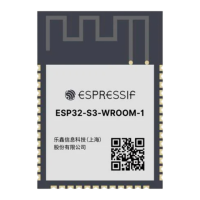
That’s all what you need to get started with ESP32-S3-WROOM-1 or ESP32-S3-WROOM-1U module! Now you
are ready to try some other examples in ESP-IDF, or go right to developing your own applications.
Espressif Systems 16
Submit Documentation Feedback
ESP32-S3-WROOM-1 & WROOM-1U Datasheet v0.6


 To Next Page
 Loading...