G) To cancel files. The procedure is similar to the import files one (see A).
H) To export files on a device unlocked in writing and connected to MatrixOne. The procedure
is similar to the import files one (see A).
I) Screen dedicated to pedal command assignment, display brightness regulation, spelling
option (if available in the file text info), and finally by pressing the "NEXT >" key you access
the option to view the text on a TV device, by means of RCA connector, or VGA screen,
connected to the homonymous connector located in the lateral panel. We recommend to
connect the TV device or the monitors before turning MatrixOne ON.
Back to “CONSOLE”:
3) To modify or insert text in songs.
4) To rename songs. After pressing this button select the song to be renamed. In the console's
space (1) the name of the song to be changed will appear. Apply the needed changes and press
ENTER.
5) To obtain more symbols.
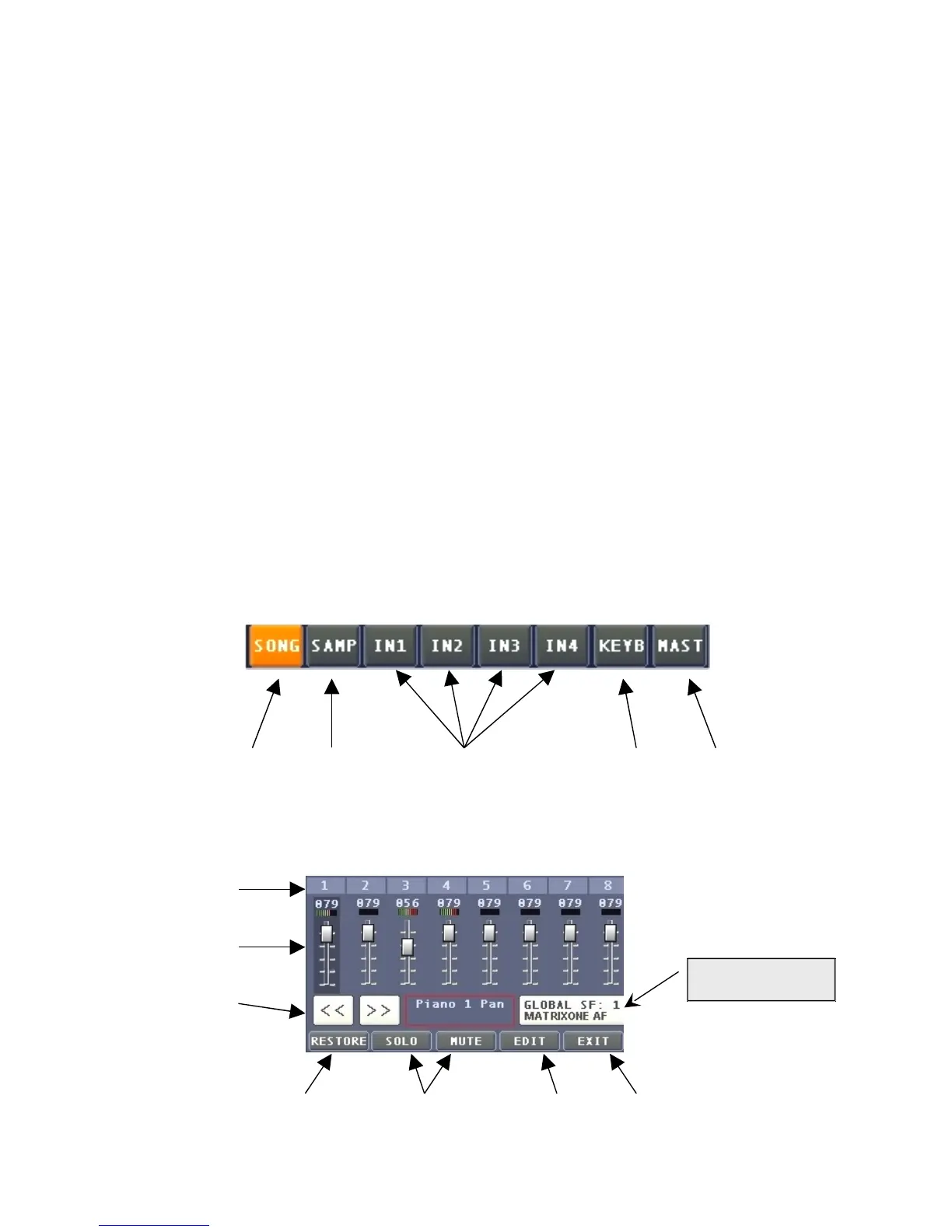
Let us now examine the windows and functions of the 8 button bar available at the bottom left,
which correspond to the 8 sliders that regulate output volume. These buttons allow to select the
sound source on which you may operate.
1 2 3 4 5
1) These functions have already been explained in Section 2 - Main Display. It is, still, necessary to
deepen the successive functions after pressing the "ADJUST" button:
A
B
C
D E F G


 To Next Page
 Loading...