A) MIDI channel number. Under each one, volume value and indicator of activity per single
trace.
B) Volume slider.
C) Access next channel window.
D) Reset values to original default.
E) “SOLO” to exclusively listen to the selected channel; "MUTE" to mute it.
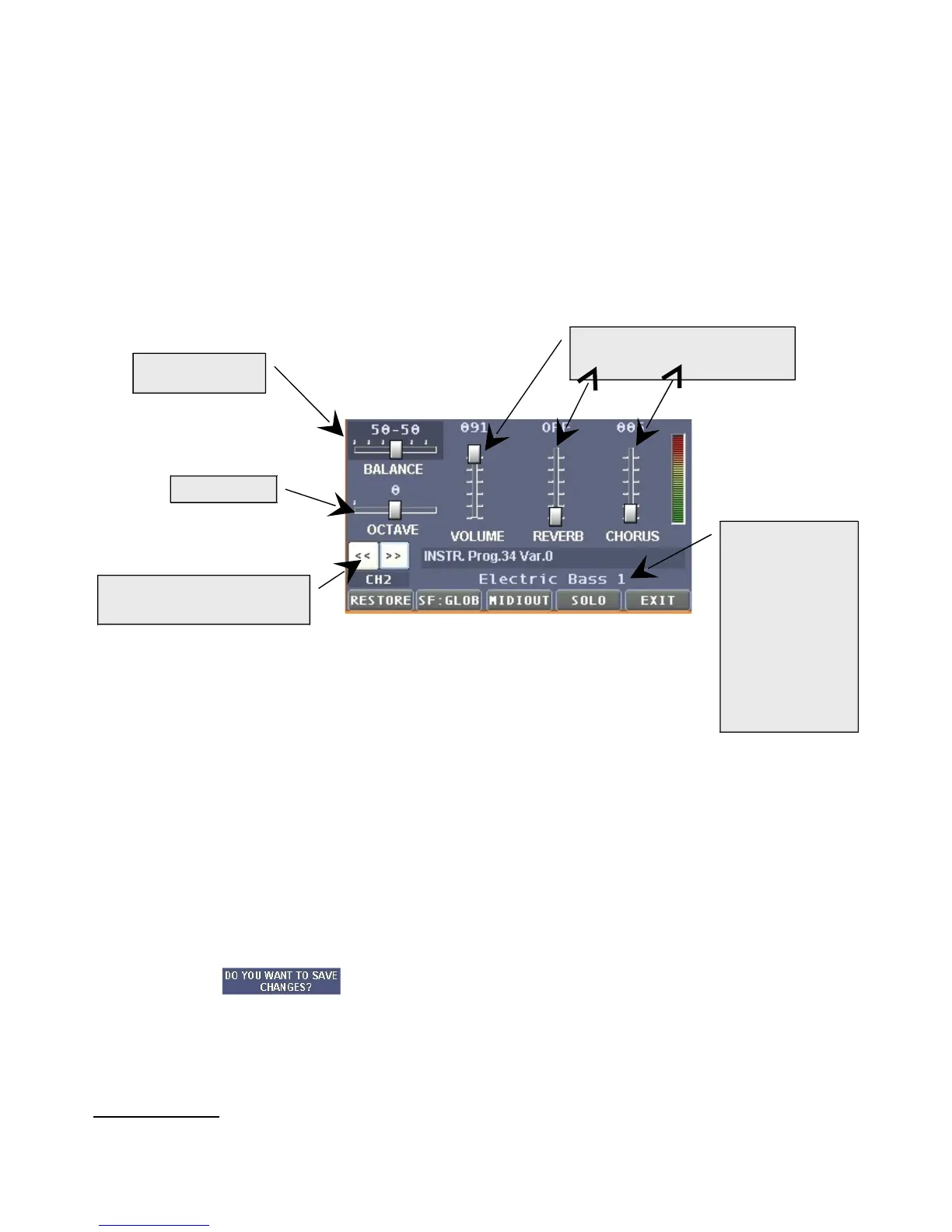
F) After pressing the "EDIT" button, a window will be shown where it will be possible to apply
all the needed changed in the trace selected:
Lower button explanation (from left to right):
“RESTORE”: Restores values to original default.
“SF:GLOB”: To assign to a single MIDI channel an instrument generated by a soundfont
different from the original one.
“MIDIOUT”: To determine if the events of the trace must exit the MIDI OUT port (useful for
the eventual use of an external harmoniser).
“SOLO”: to exclusively listen to the selected channel.
“EXIT”: To exit the window. After pressing the “EXIT” button you will be asked by the
message , if you want to save the changes (Yes) o not (NO). Press "YES" to
accept the changes or "NO" to return to the previous window WITHOUT saving the
changes. Please note that the changes will remain active until you press the "RESTORE"
button or successively to the performance of another song.
Important notice: it is possible to individually save different settings of the same song, both in list or
group. As a result, the same song may have different characteristics if performed in a group or in
the "ALL SONGS" list.


 To Next Page
 Loading...