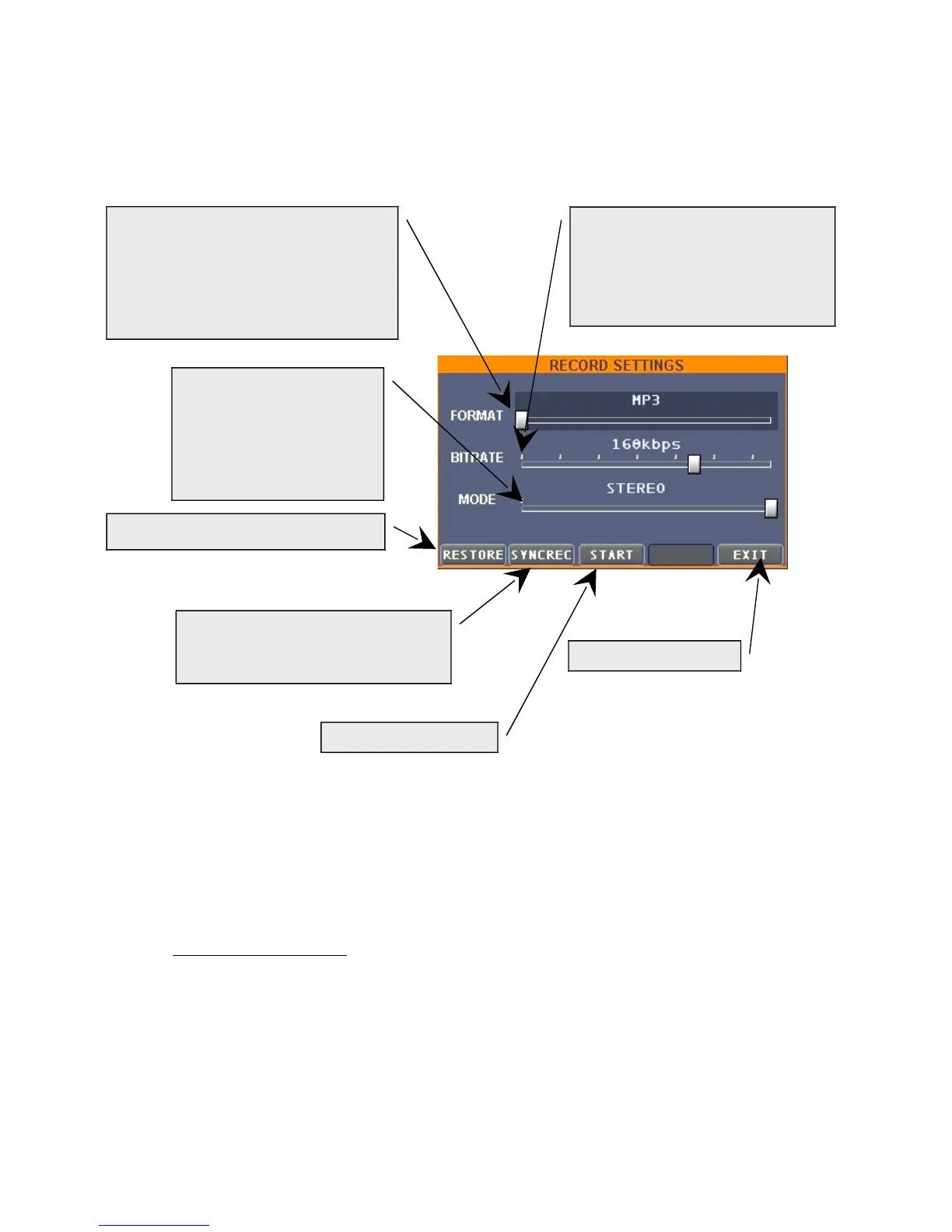
To exit the window
D. The dedicated portion of screen proposes an 8 bands graphical equalizer that intervenes on
the principal Left/Right outputs. The center frequencies are described under the
increase/decrease sliders. Three buttons explanation:
“Restore” To restore original manufacturer's values
“PNOISE” utters a test signal.
IMPORTANT NOTICE: be sure to keep the sliders low, and then, increase them little by
little before pressing this button (PNOISE). ESS declines any responsibility for eventual
damages to audio instrument/device derived by the missed respect of this important
notice.
“EXIT” To exit the window.
E. To save the set mixing in scenes that may be successively loaded, by choosing them in the
"BROWSER" window, in the "INPUT SCENES" folder.
F. By pressing "EFFECTS" you reach the window dedicated to settings of:
Audio file format of recording.
It is possible to register Mp3 files
reducing the size occupied on hard
disk, or non compressed Wav
(10sec.=~10Mb)
Mp3 compression level (bitrate).
The highest this parameter will be, the
highest the recording quality will be, but
also the size of the resulting file, still, by
opting for bitrate 160/192 Kbps, it will be
possible to obtain more than satisfying
quality recordings.
To choose if recording is
MONO or STEREO.
STEREO recording files, of
course, will result twice
bigger than MONO.
If activated (red) the recording will
begin automatically as soon as an
audio signal will be detected
To restore default values
To begin recording


 To Next Page
 Loading...