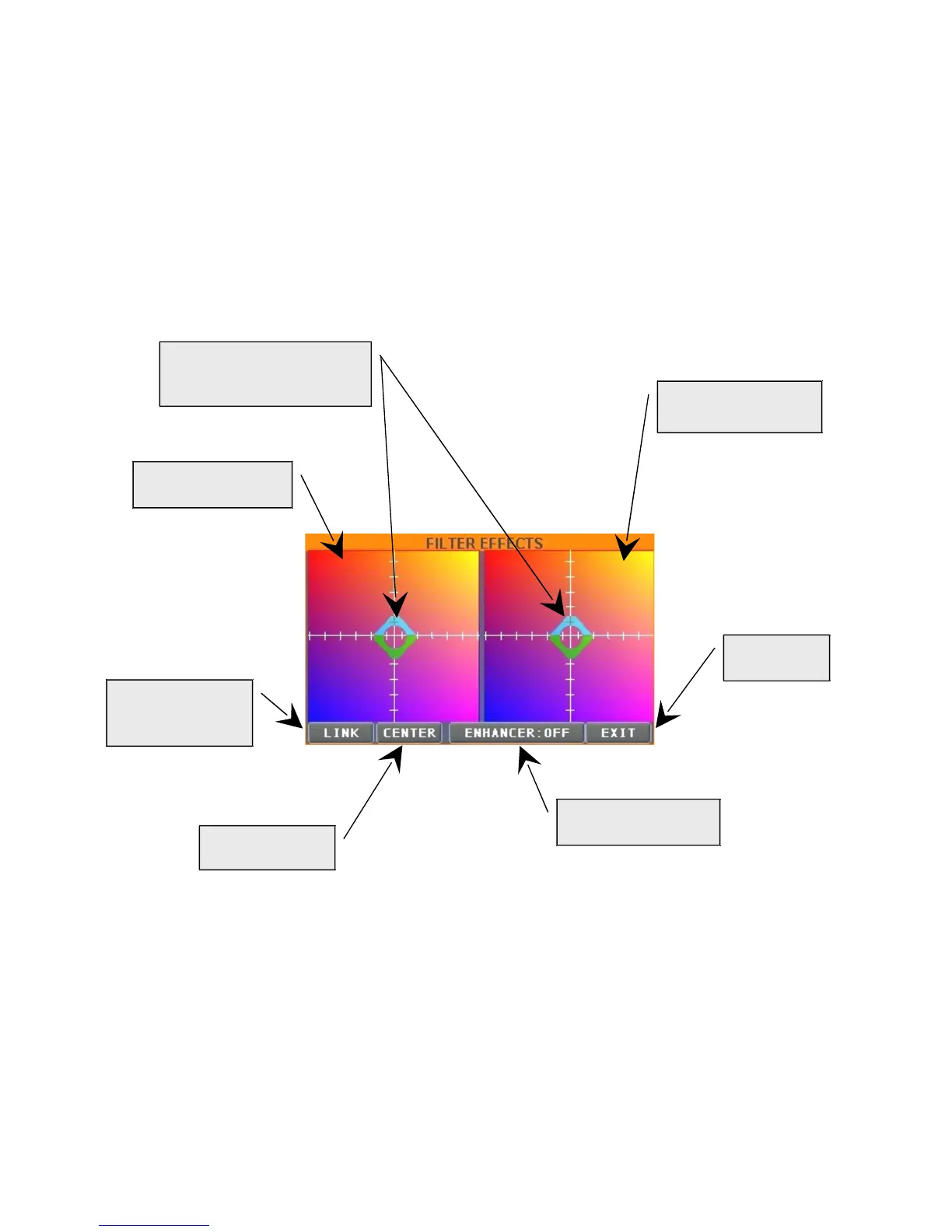
Cursors to modify in real time
parameters relative to the 2
effects
“AUDIOREV”, where it is possible to regulate parameters relative to reverb, to be
exclusively applied to audio sources.
“MIDREV”, where it is possible to regulate parameters relative to reverb, to be
exclusively applied to MIDI songs.
“MIDCHOR”, includes parameters relative to chorus which should be exclusively applied
to MIDI songs.
G. “FILTER” heads towards the coloured window where it is possible to modify, in real time, the
parameters relative to the 2 effects, a powerful Cut Off filter and a rich Flanger, by simply
moving with a finger (using the touch screen) the relative cursors.
H. If set on “MON=LR” (red), the signal will be the same of the principal outputs Left/Right, else the
parameters set in the window (MASTER - MONITOR/PHONES SEND) will be active.
I. Reverb level in monitor and headphone output
L. Level of the seven sound sources (active if “MON=LR” is grey coloured).


 To Next Page