Controls
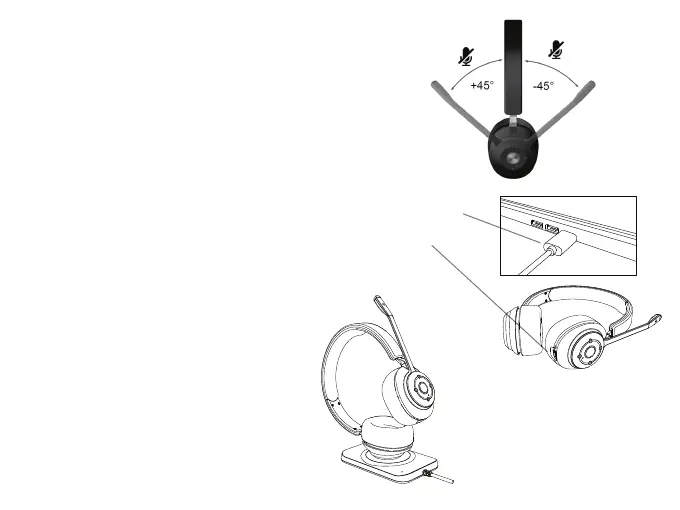
Mute / Un-mute mic by Mic Boom
- Rotate the Mic Boom up towards the headband to less than
45 degrees to mute.
- Rotate the Mic Boom down greater than 45 degrees to un-mute.
USB Charging
- Insert the USB Type C Cable into a USB Type C port on your computer
or a UL approved wall charger with Type C port.
- Insert the other end of the USB Type C cable into the USB Type C
Charging Port on the headset.
- The headset will still function with your connected device when
connected to a charging source.
Qi Charging
- Place the headset on a Qi charging pad as
shown in the diagram.
(Charging pad is not included)
Page 7



 To Next Page