EasyManua.ls Logo

Essick MA0800 - User Manual

Essick MA0800
44 pages
Print Icon
To Next Page IconTo Next Page
Loading...
1
`
OWNERS
CARE
&
USE
MANUAL
Safety
Assembly
Operation
Care
Parts
Español, p.15
Françias, p.29
READ AND SAVE THESE INSTRUCTIONS
CONSOLE
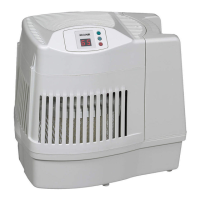
EVAPORATIVE
HUMIDIFIER
MODEL:
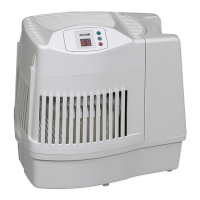
MA0800 Contemporary Styling
Humidifies up to 1,700 sq. ft
8 gallons of output per day
Easy bottle fill
3-speed Digital Control
SAVE THE ENVIRONMENT
RECYCLE APPROPRIATE MATERIALS
To order parts and accessories call 1-800-547-3888
Part No. 1B71996 3/10 Printed in China

Questions and Answers

  • K
    kimberlyhillAug 14, 2025
    Why is the digital display not working on my Essick MA0800?
    • R
      Robert MaxwellAug 15, 2025
      If the digital display on your Essick Humidifier is not illuminated, there could be a couple of reasons. First, ensure the humidifier is properly connected to a working 120-volt power source. Second, make sure you've pressed the power button to turn the unit on.
  • U
    uedwardsAug 17, 2025
    What to do if the fan is not working on my Essick MA0800?
    • C
      candicepughAug 18, 2025
      If the fan on your Essick Humidifier isn't running but the digital display is on, it could be due to two reasons. The room humidity level might not be 3% or more below the set humidity level, in which case you can raise the set humidity level if desired. Alternatively, the reservoir might be empty, so you should fill the humidifier with water.
  • B
    Benjamin CollinsAug 21, 2025
    How to improve water evaporation in my Essick Humidifier?
    • A
      alexanderrachelAug 21, 2025
      If you notice poor water evaporation from your Essick Humidifier, it might be due to a dirty filter. If the 'CHECK FILTER (CF)' message is flashing, or if there's mineral buildup on the filter, replace it with a fresh, new one.
  • L
    Laura PriceAug 25, 2025
    Why does my Essick MA0800 display alternating “CF” and room humidity?
    • A
      Alexandria MooreAug 25, 2025
      If your Essick Humidifier is displaying an alternating “CF” and room humidity message, it means that the filter may be dirty. Try replacing the filter. If this doesn't resolve the issue, unplug the unit for 30 seconds and then plug it back in to clear the display.
  • J
    Jeffrey SandersAug 27, 2025
    Why is the fan running continuously on my Essick MA0800?
    • C
      Charles NewtonAug 28, 2025
      If the fan on your Essick Humidifier is running continuously, it could be because the SET humidity level is at 65%. Adjust the SET level to between 25% and 60%. Another reason could be that the ROOM humidity level has not reached 1% or more above the SET humidity level. In this case, continue to run the humidifier until the desired humidity level is achieved, which may take up to 48 hours initially.
  • W
    wonealAug 31, 2025
    What does it mean when my Essick MA0800 Humidifier displays alternating “F” and room humidity?
    • D
      Donald StoutAug 31, 2025
      If your Essick Humidifier is displaying an alternating “F” and room humidity, it means the reservoir is empty. Fill the humidifier with water.
  • D
    debbie29Sep 3, 2025
    Why does the bottle continue to empty on my Essick MA0800?
    • C
      Christopher SmithSep 3, 2025
      If the bottle continues to empty after completely filling your Essick Humidifier, it may indicate that air is entering the water bottle. Check the water bottle for leaks. Also, ensure the fill valve position is turned to closed and that the valve has no interfering debris.
  • K
    krystal30Sep 7, 2025
    What to do if the bottle is not emptying on my Essick MA0800?
    • D
      David NortonSep 7, 2025
      If the bottle is not emptying on your Essick Humidifier, check the position of the bottle. It could also be that the spring valve assembly is damaged or the post is missing in the bottom of the base. Another possible reason is that the base is full of water, so continue to run the humidifier to deplete the water from the base.
  • P
    Paul LopezSep 10, 2025
    Why doesn't the “CF” message appear on my Essick MA0800?
    • C
      cookjasonSep 12, 2025
      If the “CF” message does not appear on your Essick Humidifier even when the filter is dirty or humidifier performance is clearly reduced, it means that a loss of power or a power failure has caused the CF message to prematurely reset. Replace the filter.

Summary

General Safety Instructions

Safety Definitions and Precautions

Explains safety levels (DANGER, WARNING, CAUTION) and lists safety rules.

Know Your Humidifier

Component Identification and Specifications

Details humidifier parts via diagram and lists technical specifications.

How Your Humidifier Works

Operational Principle and Setup Guide

Explains the evaporation process and provides setup/location guidance.

Humidifier Filling and Placement

Filling the Water Bottle and Base

Step-by-step instructions for filling the humidifier's water bottle and base.

Placement and Airflow Notes

Guidance on humidifier placement for optimal airflow and efficiency.

Operating the Humidifier Controls

Digital Display and Function Buttons

Explains the digital display and function buttons for operation.

Speed and Humidity Adjustment

Details how to adjust fan speed and humidity control settings.

Using Your Humidifier Features

Refill and Filter Check Indicators

Describes the 'F' (Fill) and 'CF' (Check Filter) display indicators.

Humidistat Operation Explained

Details the humidistat's role in sensing and maintaining humidity levels.

Humidifier Filter Maintenance

Filter Replacement Procedure

Step-by-step guide for replacing the evaporative wicking filter.

Humidifier Cleaning and Care

Regular Cleaning Instructions

Provides instructions for cleaning the humidifier base and bottle.

Bi-Weekly Scale Removal

Method for removing mineral scale using white vinegar.

Humidifier Troubleshooting Guide

Common Issues and Solutions

Addresses problems like display not illuminating and fan issues.

Humidifier Troubleshooting Continued

Further Problem Diagnosis and Remedies

Covers issues like bottle emptying and 'CF' message display.

Humidifier Repair Parts

Exploded View of Components

Diagram illustrating the assembled humidifier parts with numbers.

Humidifier Parts List

Detailed Part Identification and Ordering

Lists parts with key numbers, part numbers, and descriptions for ordering.

Humidifier Warranty Policy

Warranty Terms, Exclusions, and Claims

Outlines the humidifier's warranty policy, including coverage and exclusions.

Essick MA0800 Specifications

General IconGeneral
ModelMA0800
TypeEvaporative
Water Capacity3.5 gallons
Filter TypeWick Filter
Weight10.5 lbs
Speeds3
Power SourceElectric
Voltage120V
HumidistatYes
Auto Shut-offYes
Warranty1 Year Limited
Output8 gallons per day
Dimensions14.5 x 14.5 x 25.5 inches
Power Consumption120 watts

Related product manuals