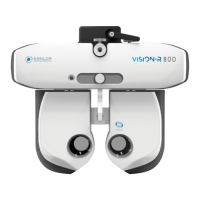
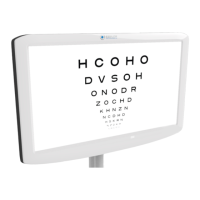
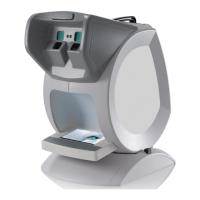
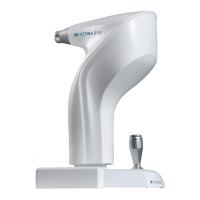
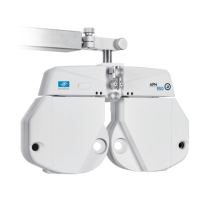
The Essilor Vision-R 700 (V01) is an automated phoropter designed for performing refraction tests to determine optical correction or compensation, providing examinees with optimal vision. It is classified as a Class I, Type B medical instrument, marked with CE and compliant with FCC standards. Its estimated minimum lifetime is 7 years from the first marking in 2020.
Function Description:
The Vision-R 700 facilitates subjective refraction by inserting optical corrections, diopter compensations, and/or filters in front of the patient's eyes. It can perform measurements under monocular or binocular vision conditions, allowing for a comprehensive binocular vision examination. The instrument enables continuous variations of optical characteristics such as sphere, cylinder, axis, and prism. Its "automatic" nature means it integrates control of test projection systems from the same control panel.
Important Technical Specifications:
Centering:
- Interpupillary distance:
- Far distance: 49.0 to 80.0 mm (in 0.50 mm steps)
- Near distance: 55.0 to 83.0 mm (in 0.50 mm steps)
- Binocular and monocular adjustments.
- Convergence: Automatic, adjusted to the position of the target for near vision and the patient's pupillary distance.
- Vertex distance: 4.0 to 30.0 mm (in 0.1 mm steps), monocular, measured by cameras.
Measurement Range:
- Sphere: -20.00 D to +20.00 D
- Cylinder: Up to 8.00 D (depending on lens combination), from -7.00 D to 8.00 D with sphere at 0 D.
- "Standard" mode: 0.25 D increments with adjustable steps.
- "Intelligent" mode: multiple larger and smaller steps, rounded to 0.25 D.
- Axis: 0° to 180° in 1° increments, with adjustable steps.
- Prism: 0 to 20 Δ in 0.1 Δ increments, with adjustable steps.
Auxiliary Lenses:
- Occluders: dark
- Pin hole: yes
- Retinoscopic lenses: +1.50 D, +2.00 D (powered by optical module)
- Fog lenses: +1.50 D, +2.00 D (powered by optical module)
- Jackson cross cylinders: +/- 0.25 D, +/- 0.50 D (powered by optical module)
- Fixed cross cylinders: +/- 0.50 D (powered by optical modules)
- Prisms: 3 Δ base up / 3 Δ base down, 6 Δ base up, 10 Δ base in (powered by varying prisms / diasporameters)
- Maddox rods: red, horizontal and vertical
- Red/Green filters: red on right eye, green on left eye
- Polarized filter: both linear and circular
Dimensions and Weight:
- Refraction head:
- Width: 29.6 cm (top) - 21.9 cm (bottom)
- Height: 22.2 cm
- Depth: 8.4 cm (top) - 6.5 cm (bottom)
- Total weight: 3.5 Kg
- Console (keyboard + screen):
- Keyboard: 28 x 22 cm
- Screen display: 10.4”
- Total weight: 3.0 Kg
- Power supply:
- Length: 16.3 cm
- Width: 19.3 cm
- Depth: 5.8 cm
- Total weight: 1.0 Kg
LEDs:
- Near-vision lighting:
- Colour: white, neutral
- Chromaticity CCT: 4000 K
- Flux: 93.9 lm
- Class: NC
- Visible white LED (Vertex distance):
- Colour: sunrise
- Chromaticity CCT: 2700 K
- Flux: 8 lm to 120°
- Class: NC
- Infra-red LED:
- Color: IR
- Wavelength: 850 nm
- Energy intensity: 50mW/Sr
- Class: NC
- Power supply box:
- AC input: 100-240V; 50/60 Hz; 1.2-0.5A
- DC output: 24V
- Power output: 48 VA
- Refraction head: AC input 24V, 48VA
- Console: AC input 24V, 48VA
Usage Features:
- Patient Data Input: Allows for objective refraction data input from lensmeters, auto-refractometers, aberrometers, or manual entry. Data can be imported from Essibox.com.
- Instrument Configuration: Users can set instrument data to zero, switch between manual and automatic modes, and import/export data.
- Patient Setup: Adjustments include horizontality of the refraction head, inter-pupillary distances (monocular or binocular), and forehead rest position (which affects vertex distance).
- Far/Near Vision Modes: Easily switch between far-vision and near-vision modes, which automatically adjust inter-pupillary distances, convergence, and LED lighting.
- Test Selection: Offers various test formats, including standard tests (far-vision, binocular-vision, near-vision) and "Smart tests" which use an algorithm for semi-automatic refraction. Users can select from a list of available tests, pre-selected favorite tests, or standard/personalized test programs.
- Optical Module Control: Allows changing the checked eye (right, left, or binocular) and modifying controlled settings (Sphere, Cylinder, Axis, ADD, Horizontal Prism, Vertical Prism). Power and incrementation steps can be adjusted.
- Value Locking Function: Useful for locking in specific values during examination.
- Masks and Filters: Apply black masks or spherical power masks to eyes. Filters can be personalized for monocular or binocular vision.
- Occlusion Type: Customize the type of occlusion applied to the unchecked eye.
- Patient Data Management: Add patient folders and manage patient information.
- Contextual Assistance: Provides on-screen help and phraseology for tests and console actions.
- Refraction Comparison (Bluetouch): Compares new refraction data with previous saved data (e.g., from lensmeter) and displays differences. Includes an "Alert function" for significant dioptric changes.
- Customized Programs: Users can edit and customize test sequences and individual tests, including settings for filters, controlled optical parameters, test conditions (Bino, Right, Left), power variation steps, and display of targets.
- Favorite Tests: Create and manage a list of favorite tests for quick access.
Maintenance Features:
- Instrument Inspection: Weekly checks for proper assembly, tightening of screws (M6 for head attachment, M5 for safety), and general cleanliness.
- Cleaning:
- Head: Use a slightly damp soft cloth (microfiber, silicone) for face shields, optics, camera windows, and LED panel. Disinfect patient contact areas (face shields, forehead rest cover) with medical disinfectant wipes between patients. Avoid liquids or tools on observation windows.
- SCV Modules: Visually check for dirt after each patient. Clean with a cleaning swab sprayed with Isopropyl alcohol, using a circular motion from center to outside. Do not dip swab directly in alcohol, use wipes, or tools.
- Console: Use a slightly damp soft cloth (microfiber, silicone) for the touch screen and keyboard. Avoid spraying liquids directly onto the console.
- Autotests: Perform autotests for the phoropter head and console to check functionality and identify errors.
- Backups: Export refraction head data, all instrument data, settings, technician data, tests, favorites, test programs, and statistics to a USB key.
- Restore: Import data, settings, memory updates, tests, favorites, test programs, and statistics from a USB key.
- Troubleshooting Guide: Provides a table of symptoms, causes, and measurements for common issues (e.g., no power, frozen screen, rainbow on screen).
- Professional Repair: Emphasizes that maintenance operations, unless specified in the manual, must be carried out by qualified maintenance technicians. Essilor will provide necessary information for dealers to repair designated parts.
- Power Supply Precautions: Advises connecting to a supply mains with protective earth, using the provided power cord, avoiding damage to the cord, and disconnecting the cord for extended non-use.
- Computer Network Precautions: Highlights compliance with IEC 62368-1 for data transfer via USB or RJ45. Emphasizes the user's responsibility to ensure the IT network is configured to accept data and to manage risks associated with network changes.
- Disposal: Provides instructions for proper disposal in accordance with Directives 2012/19/EU and 2011/65/EU, emphasizing separate collection and recycling.

 Need help?
 General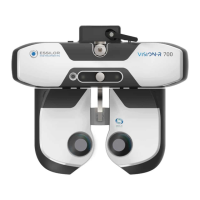

 To Next Page