CONTENTS
I. INTRODUCTION 4
1. Main features of the refraction head 5
2. Instrument classification 5
3. Symbols used 5
4. Copyright 7
5. Confidentiality of patient data 7
II. INSTRUMENT 8
1. Instrument inspection 9
2. List of accessories and detachable parts 9
3. Installation and connection 10
a. Installation 10
b. Connection 11
4. Transport 11
5. Identification and locating of the elements 11
a. Complete unit 11
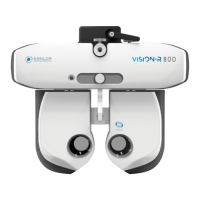
b. Refraction head - (Ref. V01112) 12
c. Console - (Ref. V01KB1) 13
d. Power supply box - (Ref. V01PS1) 14
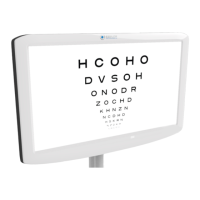
e. Test presentation screen 15
III. ADJUSTMENTS BEFORE THE EXAMINATION 16
1. Configure the instrument 17
a. Set the instrument data to zero 17
b. Pass from the manual mode to the automatic mode 18
c. Import and export data 18
2. Setting up the patient 19
a. Adjusting the horizontality of the refraction head 20
b. Adjusting the inter-pupillary distances 20
c. Adjusting the forehead rest 22
d. Going from far-vision mode to near-vision mode 22
IV. BASIC FUNCTIONS FOR PERFORMING A REFRACTION EXAMINATION 24
1. Choose a test 25
a. Select a test 25
b. Start an existing test program 26
2. Checking the optical module 27
a. Changing the checked eye 27
b. Change the controlled settings 28
c. Modify the power and the incrementation steps 29
d. Modify the incrementation steps 30
e. Value locking function 31
3. Mask an eye and check the filters 32
a. Check the masks 32
b. Check and modify the filters 32
c. Modify the type of occlusion 33
4. Manage the patient data 34
a. Add a patient folder 34
5. Access with contextual assistance 35
V. PERFORMANCE OF TESTS DURING A REFRACTION EXAMINATION 37
USER MANUAL > CONTENTS
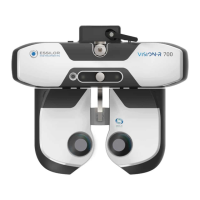
Vision-R 700 - Essilor automatic phoropter > V1 - 09-2020
2


 To Next Page